Set SNMP receive traps
Configure the SNMP Trap Receiver to specify the port, SNMP version, and authentication settings that Infrastructure Observability (IO) uses to receive and process incoming traps from your network devices. IO supports SNMP v2c and three SNMP v3 security modes. The fields you complete depend on the SNMP version you select.
To receive SNMP traps, complete the following steps:
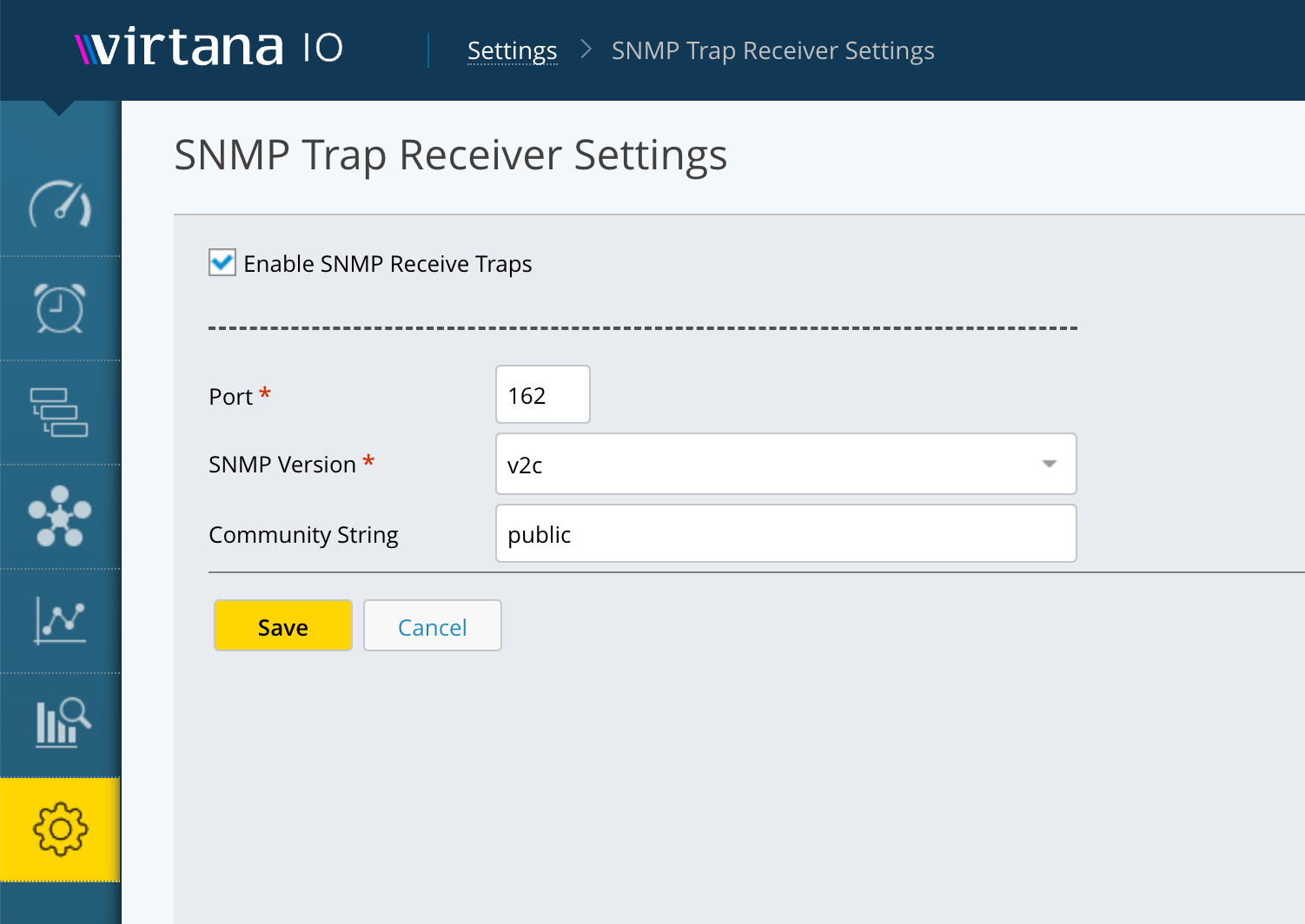
Go to Settings > SNMP Trap Receiver Settings.
Select the Enable SNMP Receive Traps checkbox.
In the Port field, enter the UDP port number on which IO listens for incoming traps. The default is 162.
In the SNMP Version drop-down list, select the SNMP version that matches the version used by the devices sending traps. The following options are available:
v2c: Uses community string-based authentication. This is the default and simplest option. Use this if your devices support SNMPv2c.
If you selected v2c, enter the community string configured on the devices sending traps in the Community String field. The default is public.
v3 Auth Privacy: Uses a username, authentication, and encryption. This is the most secure option. Use this if your devices support SNMPv3 with full security.
v3 Auth No Privacy: Uses a username and authentication, but no encryption. Use this if your devices support SNMPv3 authentication but not encryption.
v3 No Auth No Privacy: Uses a username only, with no authentication or encryption. Use this only if your devices do not support authentication.
Click Save. IO begins listening for incoming SNMP traps on the configured port. When IO receives a trap, it translates it using your uploaded MIB files and opens a case for the source device.