AWS credentials
Virtana Service Observability uses AWS access key credentials to gain access to your AWS account. Add an AWS credential when you set up an AWS Cloud Monitoring connector that uses Access Key authentication.
Perform the following steps to add an AWS credential.
Note
Your account must be assigned the Manager role to create and manage credentials.
Log in to Virtana Service Observability and open the Admin > Credentials page.
Click .
ADD CREDENTIAL window opens.
In the Credential name field, enter a name for your AWS credential.
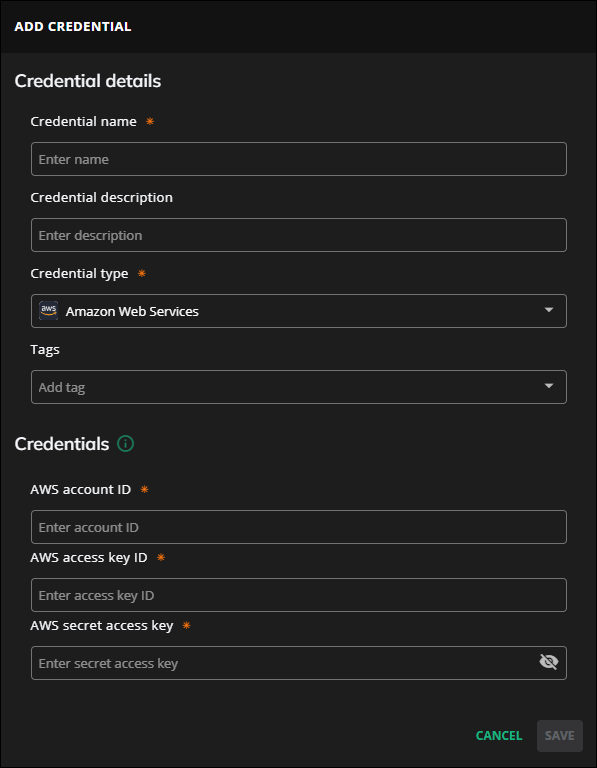
(Optional) In the Credential description field, enter a description for your AWS credential.
From the Credential type list, select Amazon Web Services.
(Optional) In the Tags field, select or enter one or more terms to associate with your AWS credential.
In the Credentials section, add your AWS credentials.
In the clientKey field, enter the access key ID for your AWS account.
In the clientSecret field, enter the secret access key for your AWS account.
In the accountId field, enter your AWS account ID.
Click .