Getting Started
Copilot is the virtual assistant in the Virtana Platform. Copilot answers questions about platform features, helps you with configuration, and can help you troubleshoot common issues. Copilot is a beta feature, so Virtana adds new capabilities and improvements regularly.
Copilot has two workspaces:
Floating Copilot window: Opens over the page you are working on. Use the floating window for a quick question when you do not want to leave your current view.
Copilot page: Opens a full-page workspace with a Chat History sidebar. Use the Copilot page for longer sessions and to reopen a conversation you had earlier.
Open the floating Copilot window and Copilot page
The floating Copilot window opens over your current page, so you can ask Copilot a question without losing the view you are working in. To open the floating Copilot window:
Log in to the Virtana Platform.
In the left navigation menu, click the Copilot icon
 at the bottom of the menu.
The Copilot window opens.
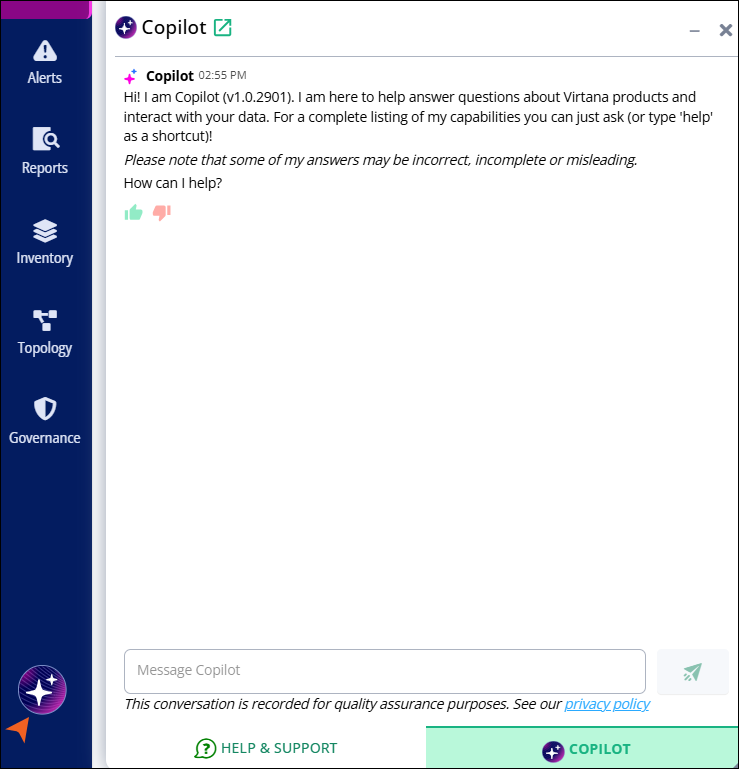
Enter your question in the Message Copilot box, and then click the send icon.
In the header of the floating Copilot window, click the pop-out icon
 next to Copilot.
The Copilot page opens. For more information, see the Copilot page.