ADVANCED
The ADVANCED tab features the administration pages described in this section.
Note
You must have ZenManager privileges to view this tab.
SETTINGS
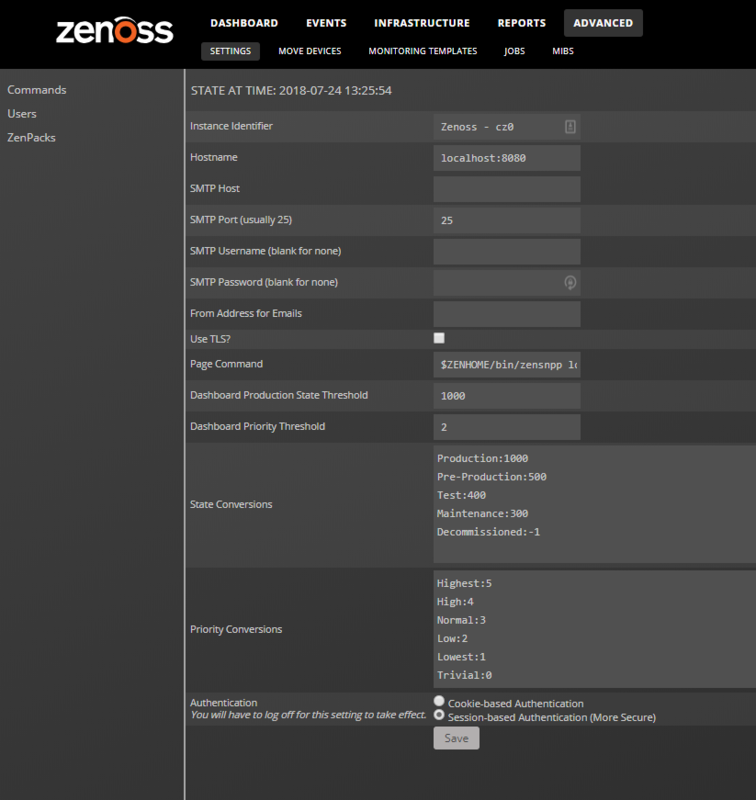
The ADVANCED > SETTINGS page is the default page displayed when you click the ADVANCED tab.
The page provides information about the Collection Zone instance and global configuration options.
Commands
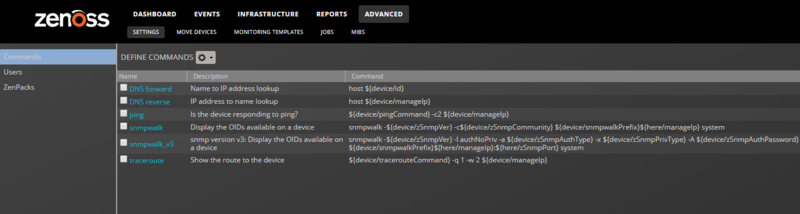
The ADVANCED > SETTINGS > Commands page includes tools for managing the commands that can be run from various pages in Collection Zone.
Users
The ADVANCED > SETTINGS > Users page provides tools for managing user account permissions in Collection Zone. For more information, see Managing users in Collection Zone.
ZenPacks
The ADVANCED > SETTINGS > ZenPacks page displays the list of installed ZenPacks. For more information, see Extending Virtana Service Observability with ZenPacks.
Events
The ADVANCED > SETTINGS > Events page displays the event aging properties. For more information, see Event configuration settings.
User Interface
The ADVANCED > SETTINGS > User Interface page displays the user interface configuration settings. For more information, see User interface configuration.
Discovery Mapping
The ADVANCED > SETTINGS > Discovery Mapping page provides configuration options for the discovery mapping feature. For more information, see Discovery mapping.
MOVE DEVICES
The ADVANCED > MOVE DEVICES page enables moving all the devices assigned to one collector to another collector.
To move devices:
Navigate to ADVANCED > MOVE DEVICES.
In the SOURCE COLLECTOR area, select the collector that contains the devices to move.
In the MOVE DEVICE(S) TO NEW COLLECTOR area, select the target collector.
Click Submit.
MONITORING TEMPLATES
The ADVANCED > MONITORING TEMPLATES page displays all the monitoring templates that are available in a Collection Zone instance. Monitoring templates determine how the system collects performance data for devices and device components.
For more information, see Monitoring templates.
JOBS
The ADVANCED > JOBS page displays a list of the current and past background processing jobs of a Collection Zone instance.
For more information, see Managing background tasks.
MIBS
The ADVANCED > MIBS page displays all the SNMP management information bases (MIBs) that are installed in a Collection Zone instance.
To add a MIB to a Collection Zone instance, please contact Virtana Support.