Topologies
This Integration provides some predefined topologies that you can view on the Topology tab in IO.
When performing advanced filtering in reports and alarms, this topology is traversed, along with additional relationships of key elements.
Following is a list of the predefined topologies included with this integration.
Topology Name | Description | Relates To | |||||||||||||
|---|---|---|---|---|---|---|---|---|---|---|---|---|---|---|---|
Application - PowerMax (Array) | Shows the physical view of the PowerMax storage array, including which initiators are actually logged into the PowerMax |
| |||||||||||||
PowerMax (Array) | Shows the physical view of the PowerMax storage array, including which initiators are actually logged into the PowerMax |
| |||||||||||||
Application - PowerMax (Masking View) | Links the PowerMax (Masking View) with tier and application. NOTE: In order to use this traversal you must add a Host, ESX VM, HyperV Host, VIOS, or Partition, which relates to a HostPort that has the same WWN as the reported PowerMaxInitiator |
| |||||||||||||
PowerMax (Masking View) | Shows logical relationships, specifically how host groups, port groups and storage groups are configured via the masking view |
| |||||||||||||
Replication | Shows how a given volume is replicated to a volume in another storage array. Replication targets must also be monitored by Infrastructure Observability, otherwise, no replication data will be shown. Sample follows. 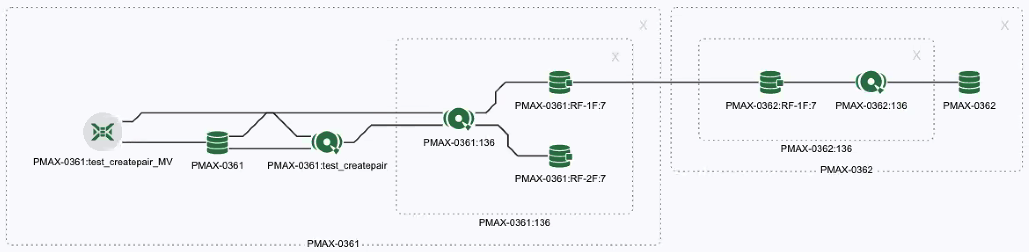 |