Action Integration
Action integration allows you to connect and manage various services used for Alert Orchestration and Notification Management. These integrations are crucial for automating alert responses and ensuring notifications are sent through the appropriate channels. The platform supports multiple integration types, such as ServiceNow, StackStorm, and Dynatrace.
You can access Action Integration to connect the Virtana Platform with multiple platforms and streamline incident handling. With this integration, incidents are automatically created, updated, and closed in the respective platform when Virtana detects alerts, reducing manual effort and response time. Alert details, such as category, impact, urgency, and state, are passed to the respective platform to ensure accurate prioritization. You can track the complete incident lifecycle and customize it to match its workflows. You have to keep and secure organization‑specific credentials to maintain safe and reliable communication between Virtana and a specific organization.
Unique Credentials: The credentials entered for each integration are unique to your organization. They ensure secure and reliable communication between the platform and the integrated services.
Service-Specific Credentials: For each service, you will need to provide specific credentials or tokens that enable the platform to trigger actions and send notifications based on alert conditions.
Perform the following steps to open Action Integration:
Log in to the Virtana Platform.
In the top right corner of the Virtana Platform page, click Settings (
 ).
).In the Settings page, navigate to Integration > Action Integration.
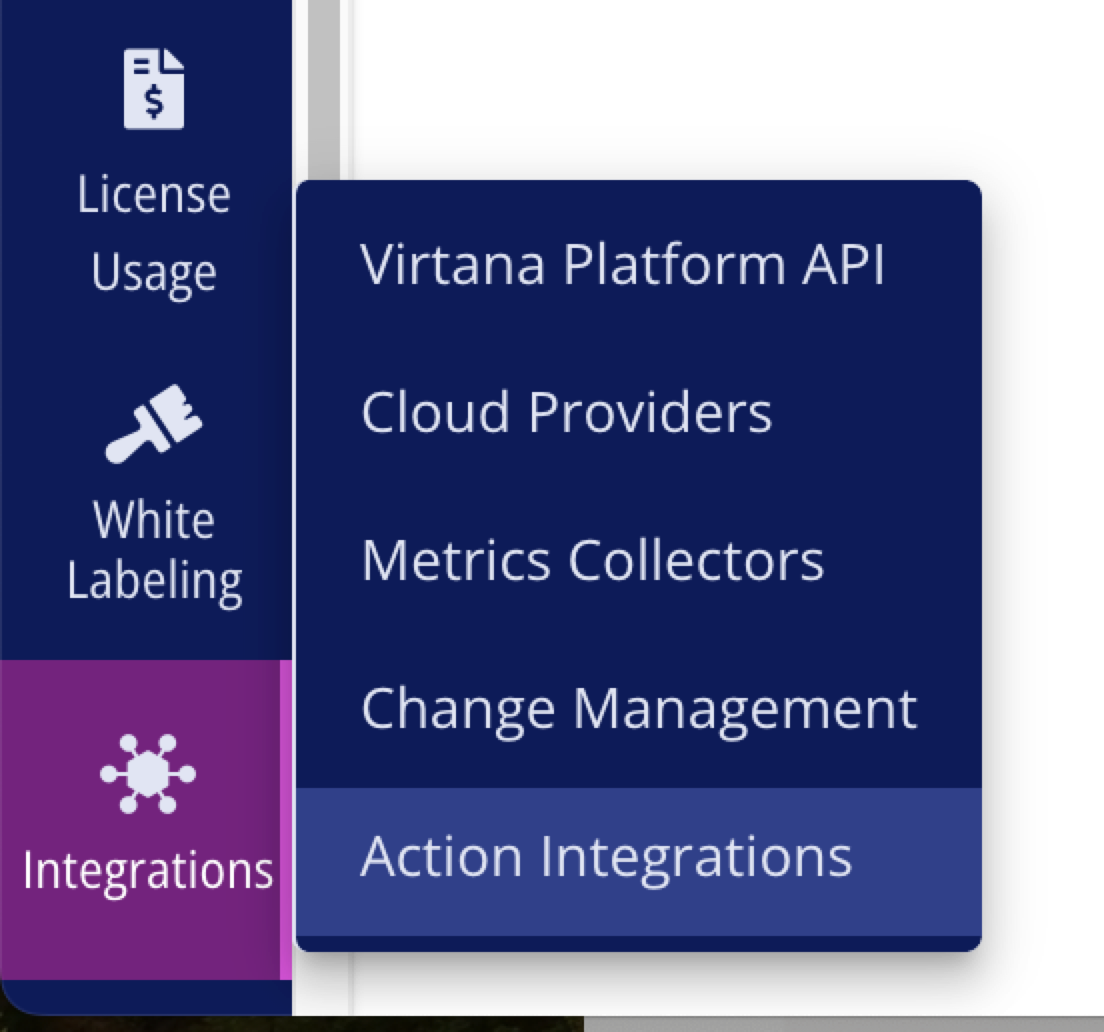
The Add Integration window opens.
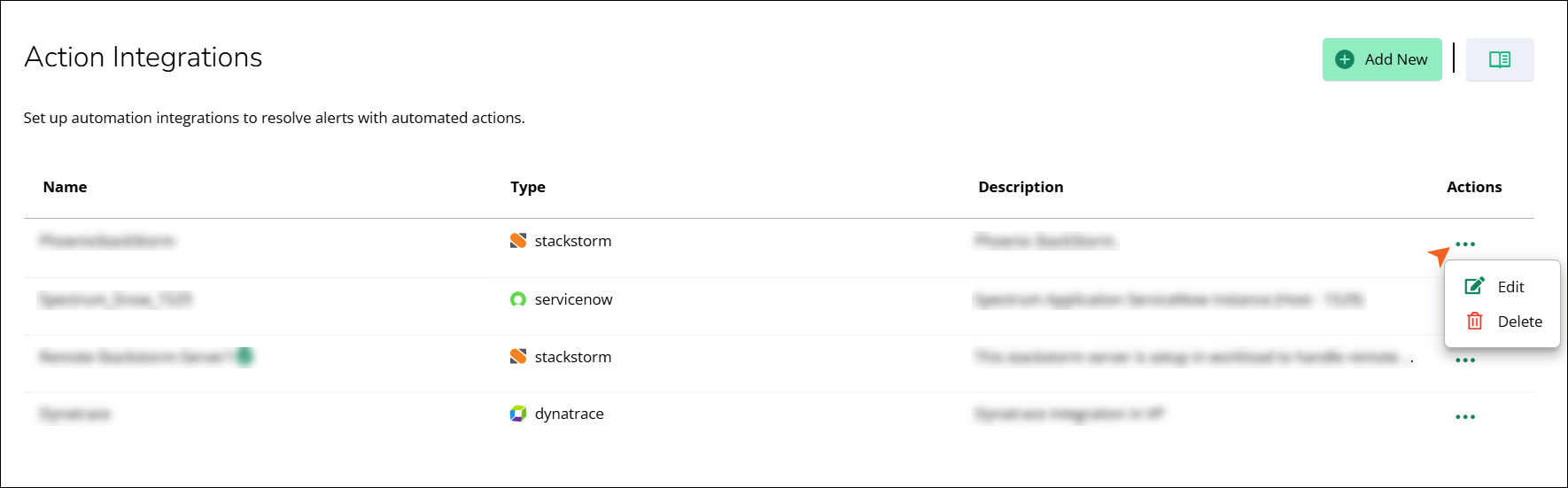
The Action Integrations page displays a table listing all configured integrations with the following columns:
Column | Description |
|---|---|
Name | The name assigned to the integration. |
Type | The service type of the integration. |
Description | A brief description of the integration purpose. |
Actions | A three-dot menu (⋯) provides options to edit or delete the integration. |