Log in with credentials
This section describes the process for accessing the Virtana Platform using standard username and password authentication.
Invitation requirement
To access the Virtana Platform, you must first be invited by an existing platform administrator or only users with administrator privileges.
Accepting the invitation
When you receive an email invitation from Virtana:
Open the email and select Accept Invitation.
The Virtana Platform login page opens.
Follow the on-screen steps that includes, your password setup and the creation of your user account.
This process must be completed before you can perform your first login.
Logging in after account creation
Once your account setup is complete:
Open a supported web browser.
Go to the Virtana Platform URL provided in your welcome email.
Enter the following credentials that includes your email address (user ID) and password.
Note
All Virtana Platform accounts use email addresses as the username. You must use the exact email address associated with your invitation.
Resetting a forgotten password
Perform the following step, if you forget your password:
Go to the Virtana Platform login page.
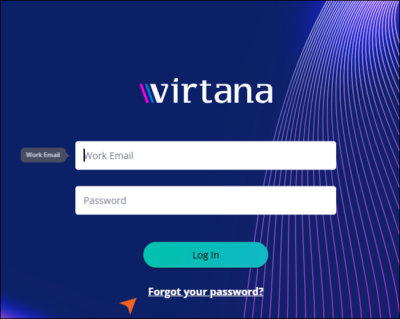
Select the Forgot Password link.
Enter the email you're using for your account and click Continue.
An email will be sent to your registered email address with password reset instructions.
Click Reset Password link in the mail.
Set a new password and click Continue.
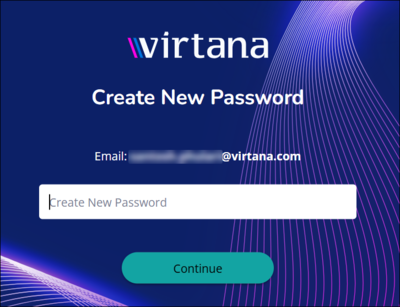
Return to the login page and sign in with the new password.
Password management and SSO configuration
If your organisation has not configured SSO, the platform manages user authentication directly. The platform stores and verifies each user's password, and users can change their own password at any time.
If your organisation has configured SSO, an identity provider (IdP) manages user authentication instead. In this case, the platform does not store user passwords, so the change password option is not available.
Check your organization's SSO status
Use this procedure to check whether SSO is configured for your organisation.
Go to Settings, and Click Users Management in the left navigation pane.
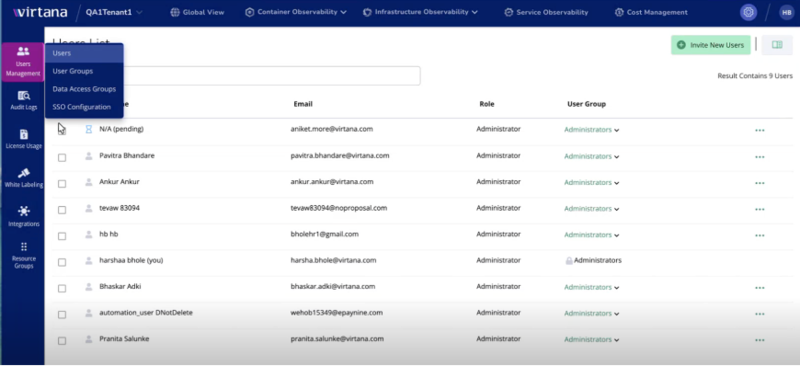
Select SSO Configuration.
Review the page. If SSO is not configured, the page displays the message “SSO is not configured for this organisation” and a Configure SSO button.
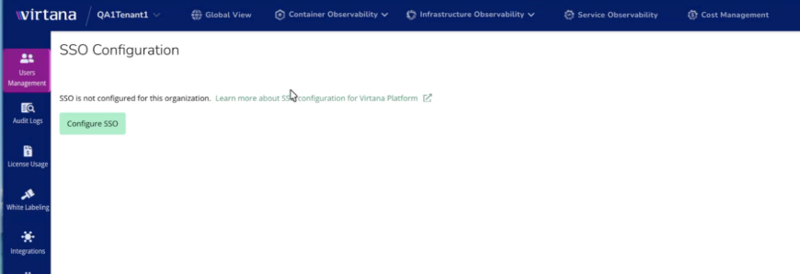
Password options when SSO is configured
When SSO is configured for your organization, the profile menu no longer includes a Change Password option. Instead, the menu shows options such as My Profile, Assume User, and Log Out.
Note
The Change Password option is removed automatically once SSO is configured. Users must reset or manage their passwords through the organization's identity provider.