Entity Creation
How are entities created?
Most entities are automatically created by IO when new infrastructure is discovered by IO's probes and integrations. This is called auto-defined or auto-discovery entity creation.
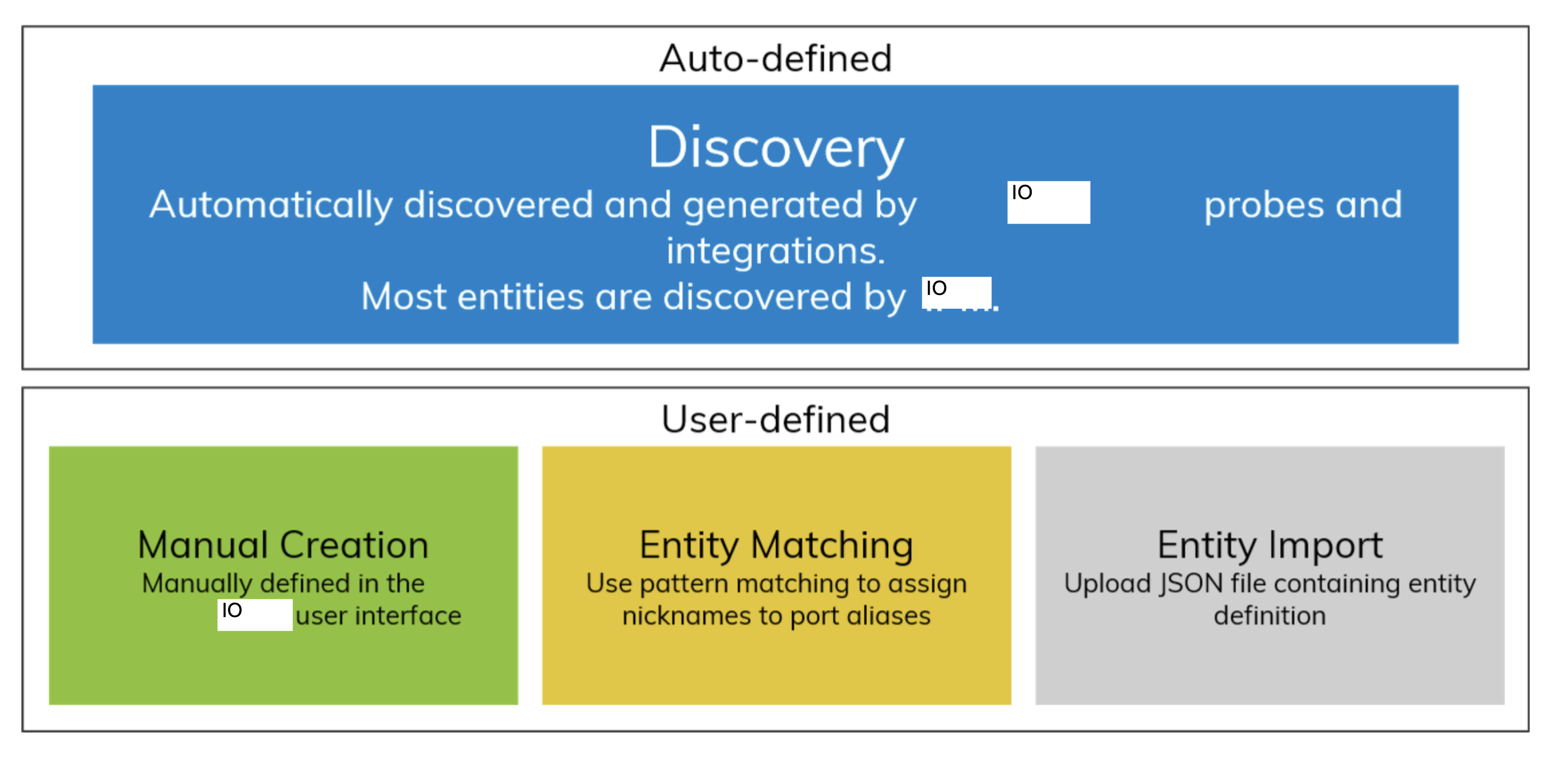
Entities can also be defined manually through the IO user interface using one of three methods:
Manual Creation: The user creates each entity with the entity management feature in the IO user interface. User Defined Entities allow the IO user to organize their environment and the collected metrics in a fashion that is familiar to them, for example, by Host, Application, or Storage Array.
Entity Matching: Entity Matching is a feature that allows the user to assign a meaningful nickname to discovered port Entities. Pattern matching is applied against port alias values based on a nickname scheme to streamline what would otherwise be a tedious process.
Entity Import: Entities can also be imported using a JavaScript Object Notation (JSON) file. JSON is an open standard format that uses human-readable text to transmit data between a server and a web application.
Important
Beginning in IO 6.7, a limit has been placed on the number of conversation entities that IO stores for ProbeFC, ProbeNAS, and NetFlow.
If the system limit of the number of conversations is reached, the least-recently-seen conversations are automatically deleted.
Deletion of these entities is intended to increase performance and reliability for long-running deployments. If you wish to modify or disable this feature, contact IO Support.