Understanding Entity Status
The color of the entity’s icon and its halo denotes its status and sub-entity relationships, just as they did in the Inventory view.
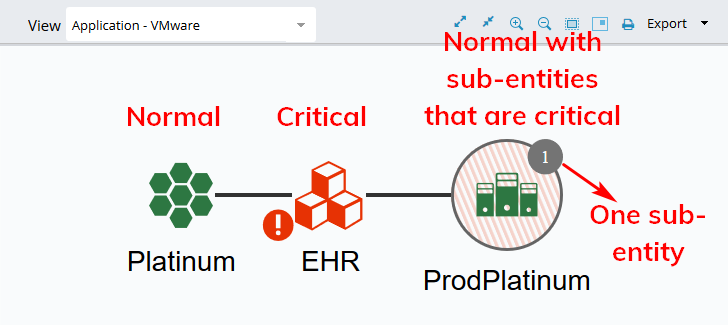
Entities with a halo have sub-entities. The number of sub-entities is shown in a circle next to the entity.
The color of the entity's icon indicates its status:
Red indicates that the entity's status is critical
Yellow indicates a warning
Green indicates normal
The color of the entity's halo indicates the status of its status:
Red indicates that the entity has one or more sub-entities that are critical
Yellow indicates that the entity has one or more sub-entities with warnings
Green indicates that the entity's sub-entities are normal