Dell EMC base
ZenPacks.zenoss.EMC.base
Monitoring for EMC VNX/VMAX devices.
The EMC Base ZenPack supports the following features:
Support block level storage via SMI-S for VNX
Support block level storage for Symmetrix VMAX 10/20/40K Series
Support file level storage via API for VNX
Initial discovery and continual update of relevant components.
Performance monitoring of both of statistics and health scores.
Event management integration of VNX/VMAX events into Virtana event system.
Service impact and root cause analysis. (Requires Virtana Service Dynamics)
Support
This ZenPack is developed and supported by Virtana. Enterprise support is available to Virtana customers with an active subscription or support agreement. ZenPacks are available at delivery.zenoss.com. To request more information about this or any other ZenPack, contact Virtana.
Releases
Version 2.1.1
Released on 2019/08/27
Requires WBEM ZenPack (>=2.0.1), PythonCollector ZenPack (>=1.5.2), StorageBase ZenPack (>=1.3.0), ZenPackLib ZenPack (>=2.0.4)
Compatible with Zenoss 6.2 - 6.4 and Virtana Service Observability
Version 2.1.0
Released on 2018/05/15
Requires WBEM ZenPack (>=2.0.1), PythonCollector ZenPack (>=1.5.2), StorageBase ZenPack (>=1.3.0), ZenPackLib ZenPack (>=2.0.4)
Compatible with Virtana Service Dynamics 4.2.5 - 6.x
Version 1.2.1
Released on 2017/06/09
Requires WBEM ZenPack (>=1.0.3), PythonCollector ZenPack (>=1.5.2), StorageBase ZenPack (>=1.3.0), ZenPackLib ZenPack (>=2.0.4)
Compatible with Virtana Service Dynamics 4.2.x - 5.2.x
Gallery
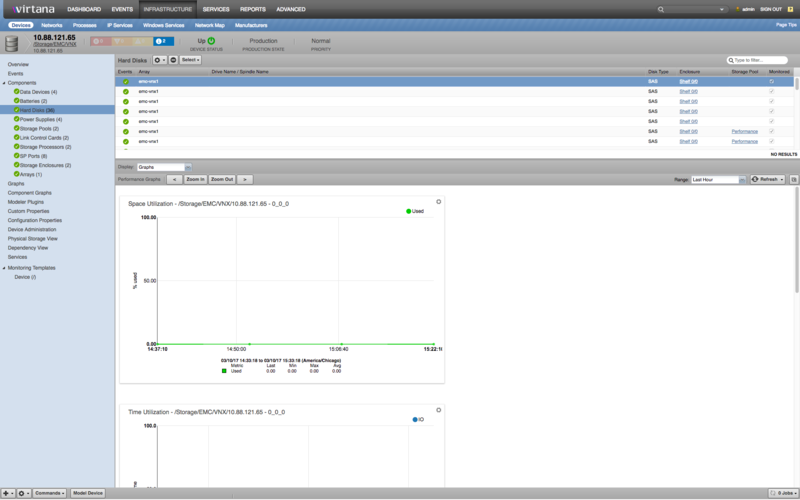
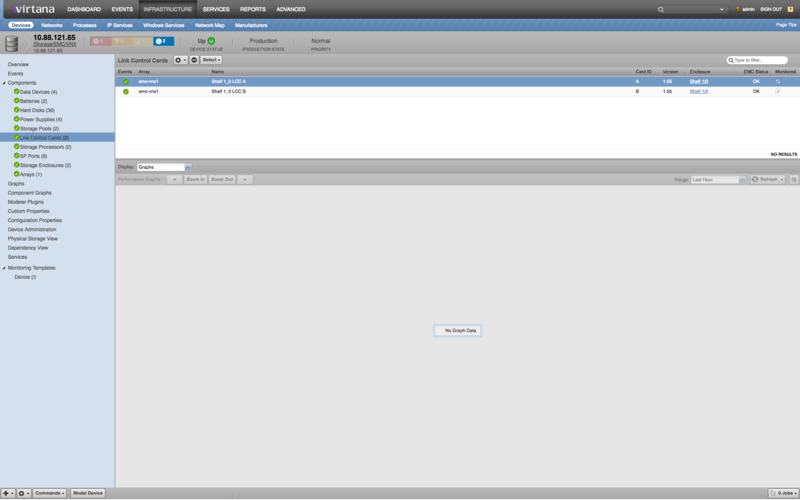
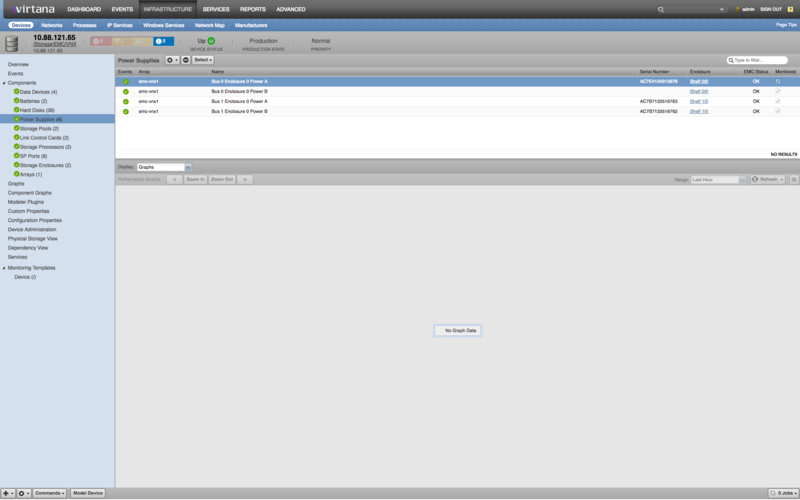
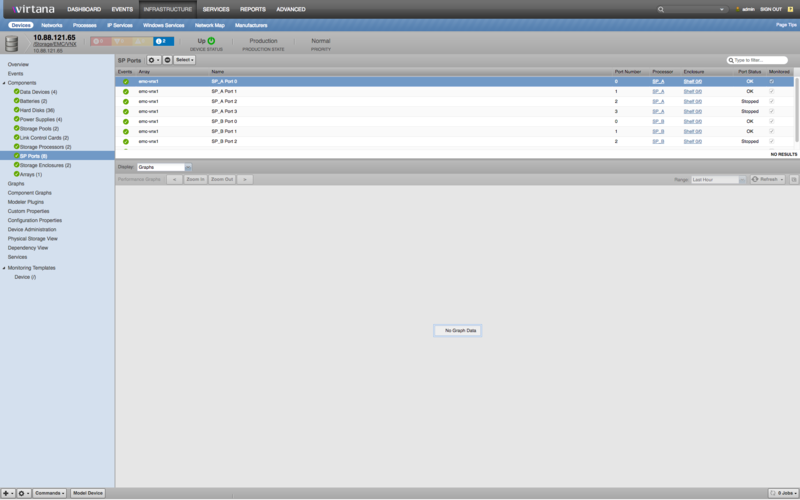
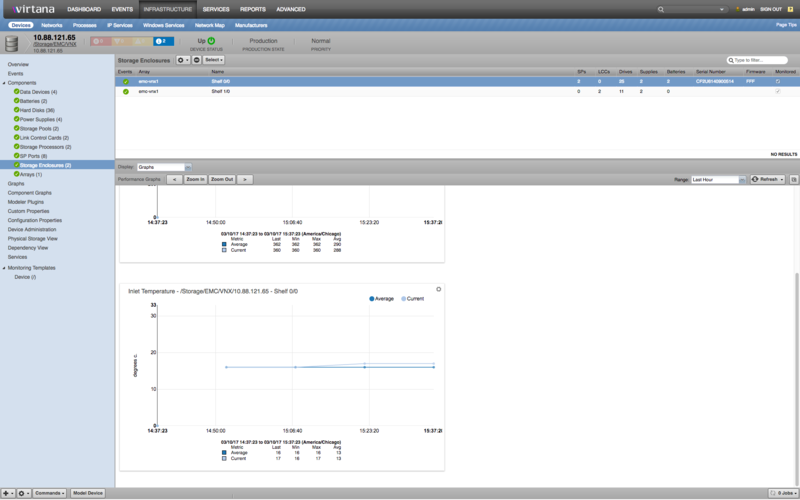
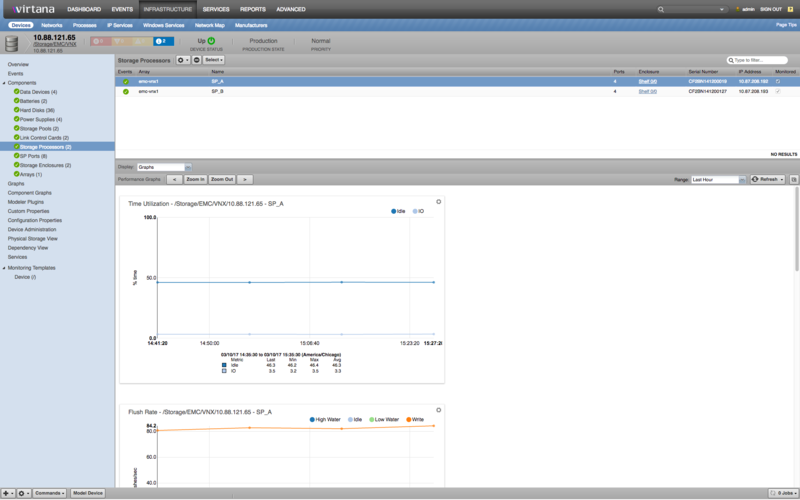
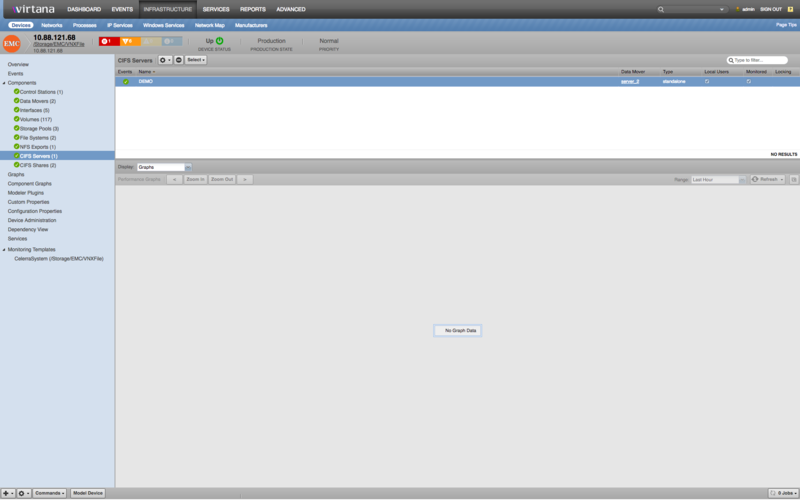
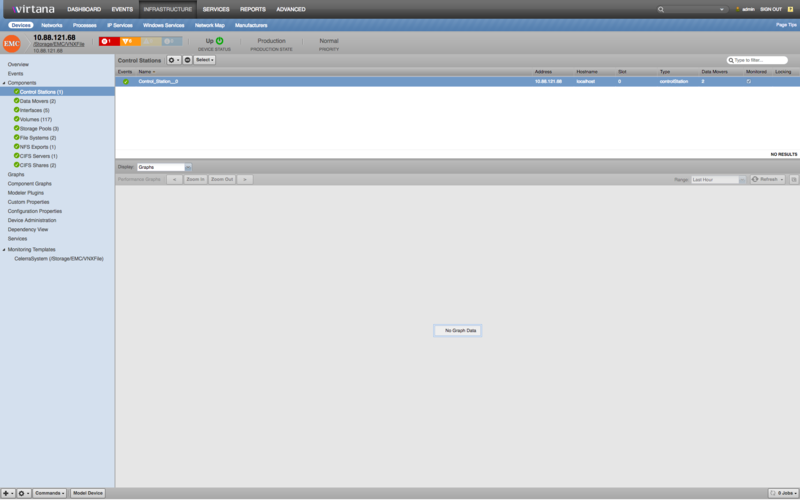
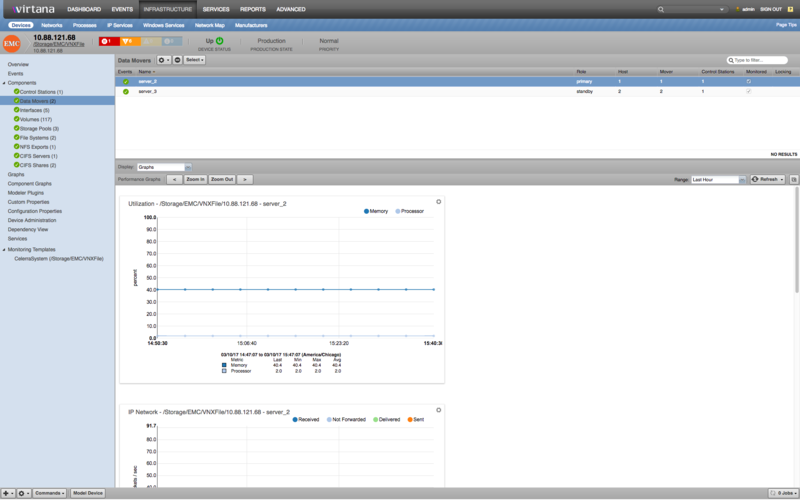
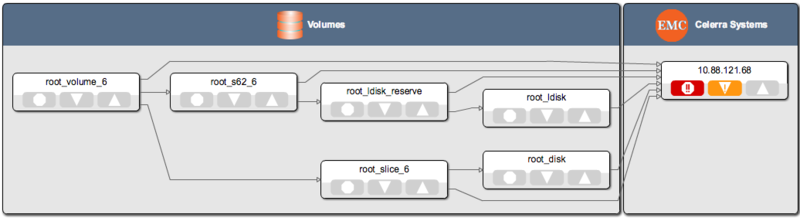
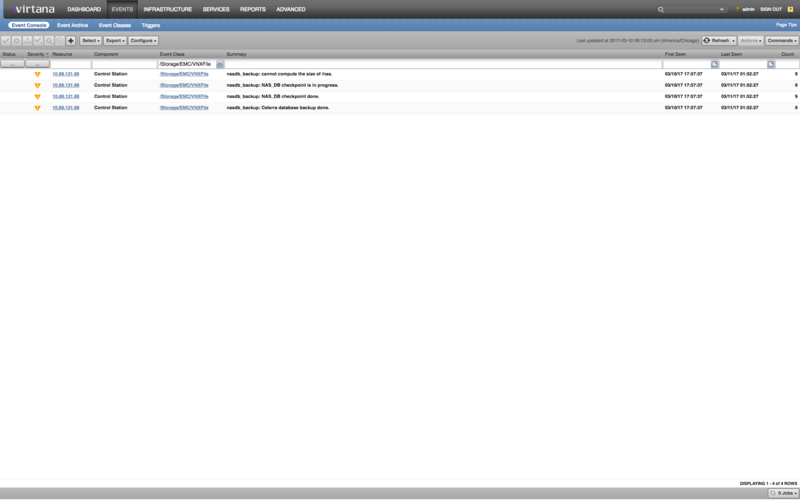
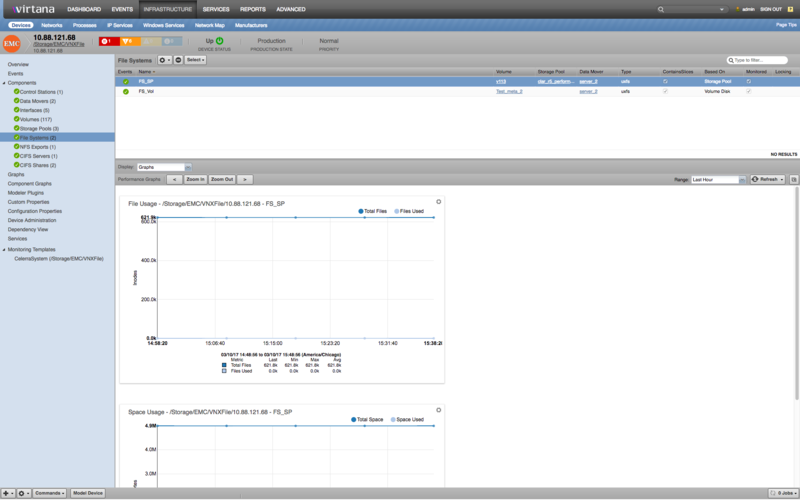
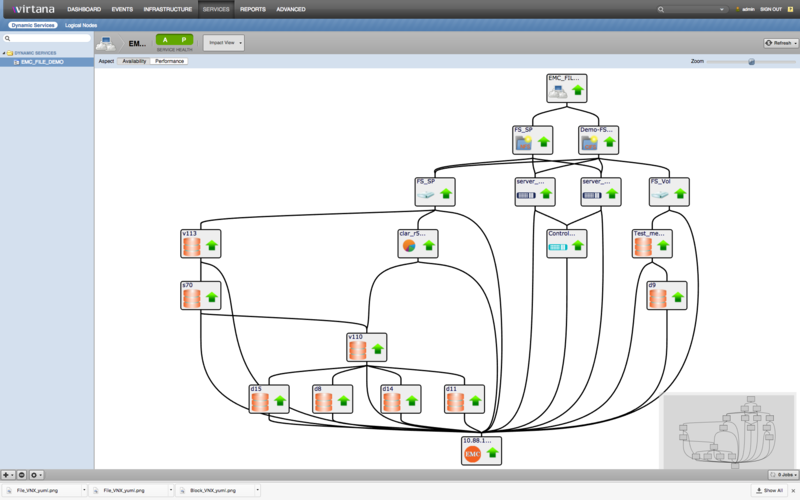
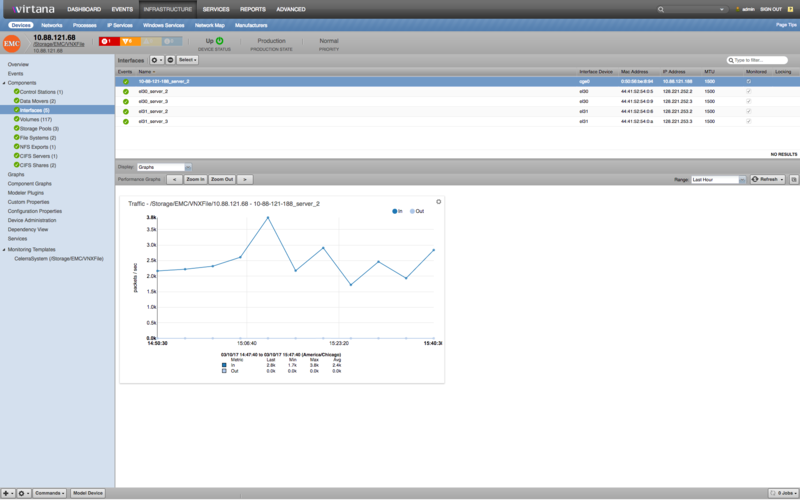
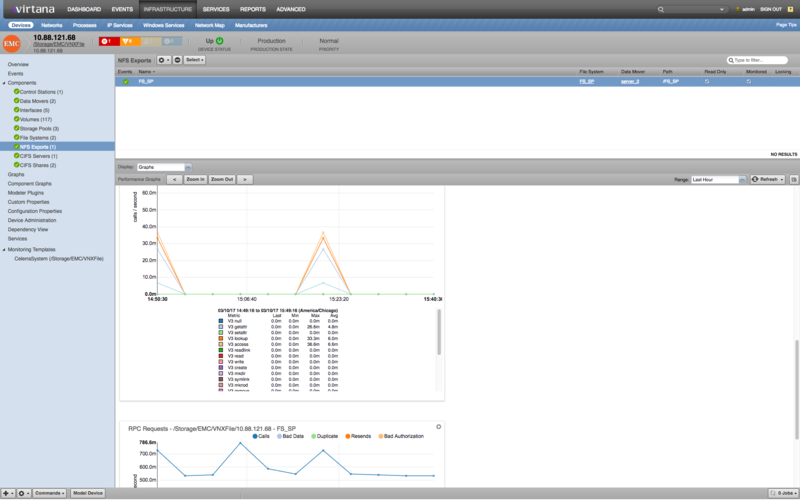
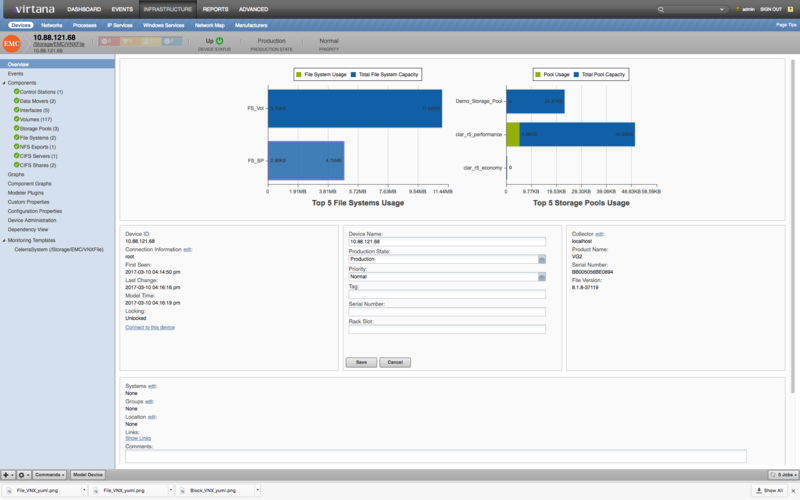
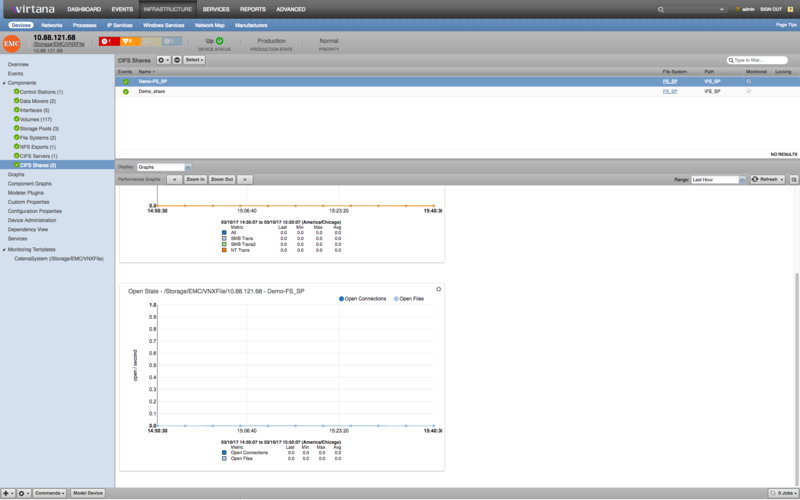
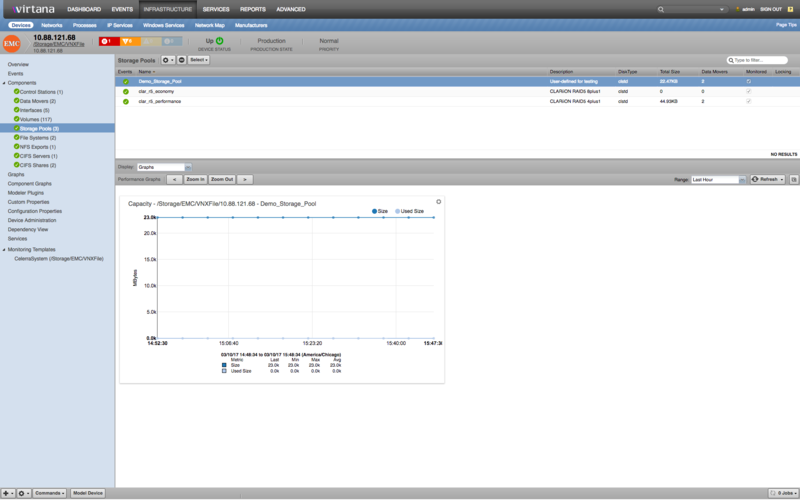
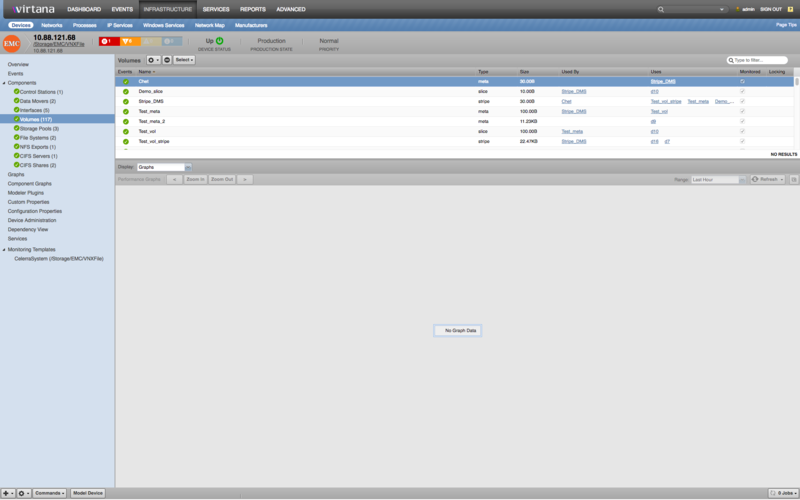
EMC Prerequisites
EMC Solutions Enabler V7.6
SMI-S Provider 4.6
Block Storage for VNX/VMAX
For monitoring block level storage, the EMC base ZenPack enables Virtana Service Dynamics to use the Web Based Enterprise Management (WBEM) protocol to monitor and model VNX and VMAX devices under /Storage/EMC/VNX/ and */Storage/EMC/VMAX/: device classes by executing queries and parsing the output. Parsing of this information is performed on the Virtana Service Dynamics server (if using a local collector) or on a distributed collector. Information is gathered via the EMC Storage Management Initiative Specification (SMI-S) Provider.
Use of WBEM Pull Operations
WBEM Pull operations allow EMC device to break one huge response into several ones. In case the modeling or monitoring processes take too much time or even never complete; please refer the WBEM zenpack documentation about zWBEMMaxObjectCount and zWBEMOperationTimeout zProperties. The following video demonstrates how to setup block level storage monitoring on EMC base versions 1.0.5 and 1.1.2 via SMI-S.
Block VNX/VMAX Discovery
The following components will be discovered when modeled.Data Devices
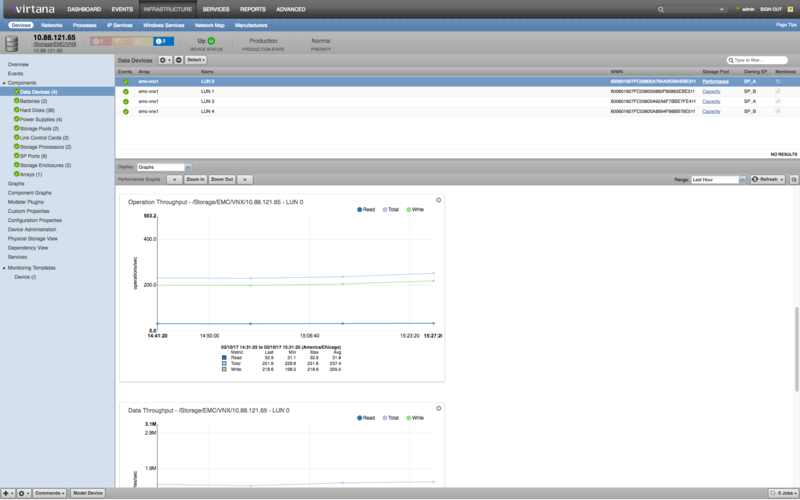
Properties: OwningStorageProcessor, RAID, StoragePool, Array ID, WWN, Total Managed Space (MB), Total Managed Space (GB), StoragePoolID, StoragePoolGroup, Total Consumed MB, Total Consumed GB, WBEM Class Name, WBEM SP Instance ID, WBEM SV Creation Class Name, WBEM SV Device ID, WBEM SV System Name, WBEM SV System Creation Class
Relationships: Storage Pools, Storage Pool Groups
Batteries
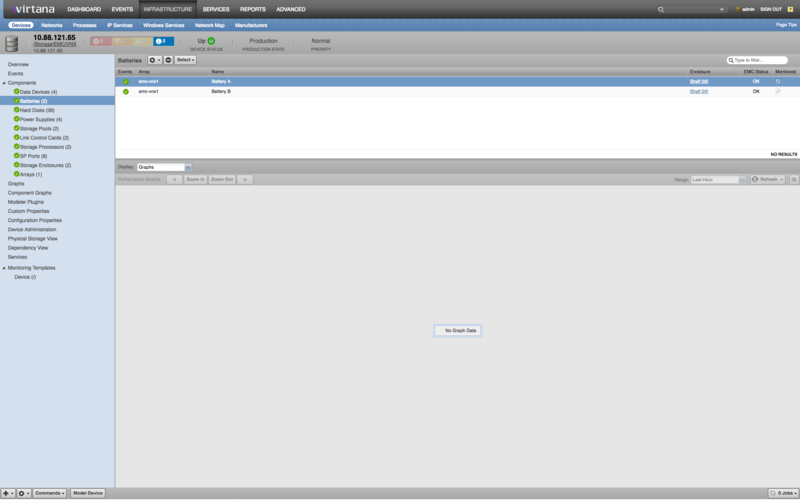
Properties: Battery Status, Battery ID, Array ID, Enclosure, Manufacturer, WBEM Class Name, WBEM Tag
Relationships: Storage Enclosure
Hard Disks
Properties: Volume, Storage Pool ID, Disk Type, Array ID, Disk Drive Name, Storage Pool, WBEM Class Name, WBEM Device ID, WBEM System Name, WBEM System Creation Class Name
Relationships: Storage Pools, Storage Enclosure
Power Supplies
Properties: Power Supply Serial Number, Power Supply ID, Enclosure, Array ID, EMC Status, WBEM Class Name, WBEM Tag
Storage Pools
Properties: Pool ID, EMC Status, Total Managed Space, Thin Provisioned Space, Array ID, Space Limit, Element Name, Number of Disks, Number of Data Devices, Class Name, Tag
Relationships: Data Devices, Hard Disks
Link Control Cards
Properties: LCC Name, EMC Status, Version, Array ID, Card ID, Enclosure ID, WBEM Class Name, WBEM Tag
Relationships: Storage Enclosure
Storage Processors
Properties: SP IP, SP Name, Array ID, Manufacturer, Version, Serial Number, Number of Ports, Enclosure, WBEM Class Name, WBEM Tag
Relationships: Storage Enclosure, SP Ports
SP Ports
Properties: Port Name, Port Number, Array ID, Processor Card ID, Port Status, Processor Card, Enclosure, WBEM Class Name, WBEM Tag
Relationships: Storage Processor
Storage Enclosures
Properties: Enclosure State, Serial Number, Address, Hardware model, Manufacturer, Product ID, Logical Identifier, Firmware Revision, Title, Array ID, Number of Batteries, Number of Disks, Number of Link Control Cards, Number of Power Supplies, Number of Storage Processors, WBEM Class Name, WBEM Tag
Relationships: Storage Processors, Link Control Cards, Batteries
Arrays
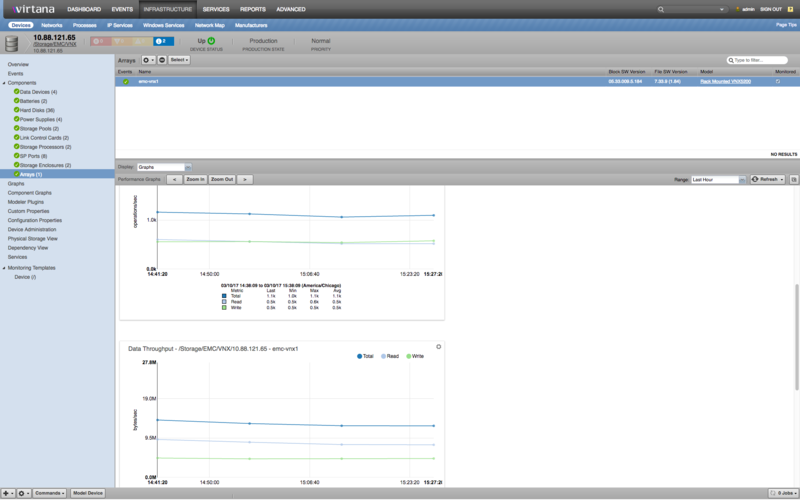
Properties: Version, Name, Model, Serial Number, Block SW Version, File SW Version, WBEM Class Name, WBEM Identifying Number, WBEM Tag
Relationships: SMI-S Provider
Block VNX/VMAX Performance Monitoring
The following datapoints will be collected every 5 minutes by default.
Array (in /Storage/EMC)
Datasources
Array
KBytesRead, KBytesTransferred, KBytesWritten, ReadHitIOs, ReadIOs, TotalIOs, WriteHitIOs, WriteIOs
PrimordialStoragePool
EMCRemainingRawCapacity, EMCTotalRawCapacity, RemainingManagedSpace, TotalManagedSpace
Status
Thresholds
storage capacity (requires Capacity ZenPack)
Graph Definitions
Data Throughput, Managed Space Usage, Operation Throughput, Raw Space Usage, Space Utilization
Battery (in /Storage/EMC)
Datasources
Status
DeviceStoragePool (in /Storage/EMC)
Data Sources
DeviceStoragePool
EMCPercentSubscribed, EMCRemainingRawCapacity, EMCSubscribedCapacity, EMCTotalRawCapacity, RemainingManagedSpace, TotalManagedSpace
Thresholds
storage capacity (requires Capacity ZenPack)
Graph Definitions
Managed Space Usage, Raw Space Usage, Space Utilization
HardDisk (in /Storage/EMC)
Datasources
DiskDrive
EMCFreeBlocks, EMCNumberOfBlocks
DiskExtent
EMCQueueArrivals, EMCQueueLength, IOTimeCounter, IdleTimeCounter, KBytesRead, KBytesTransferred, KBytesWritten, ReadIOs, TotalIOs, WriteIOs
Status
Graph Definitions
Data Throughput, Operation Throughput, Space Utilization, Time Utilization
LUN (in /Storage/EMC)
Datasources
Status
StorageVolume
EMCQueueArrivals, EMCQueueLength, IOTimeCounter, KBytesRead, KBytesTransferred, KBytesWritten, ReadIOs, TotalIOs, WriteIOs
Graph Definitions
Data Throughput, Operation Throughput, Queueing, Response Time, Time Utilization
LinkControlCard (in /Storage/EMC)
Datasources
Status
PowerSupply (in /Storage/EMC)
Datasources
Status
SPPort (in /Storage/EMC)
Datasources
FEPort
KBytesTransferred, TotalIOs
Status
StorageEnclosure (in /Storage/EMC)
Datasources
EnclosureChassis
EMCAverageAirInletTemperature, EMCAverageInputPower, EMCCurrentAirInletTemperature, EMCCurrentInputPower
Status
Graph Definitions
Inlet Temperature, Input Power
StorageProcessor (in /Storage/EMC)
Datasources
Status
StorageProcessorSystem
EMCHighWaterFlushes, EMCIdleWaterFlushes, EMCLowWaterFlushes, EMCPctDirtyPages, EMCQueueArrivals, EMCQueueLength, EMCWriteFlushes, EMCWriteKBytesFlushed,IOTimeCounter, IdleTimeCounter, KBytesRead, KBytesTransferred, KBytesWritten, ReadIOs, TotalIOs, WriteIOs,
Graph Definitions
Data Throughput, Flush Rate, Flush Throughput, Operation Throughput, Time Utilization
UnifiedStoragePool (in /Storage/EMC)
Datasources
UnifiedStoragePool
EMCPercentSubscribed, EMCRemainingRawCapacity, EMCSubscribedCapacity, EMCTotalRawCapacity, RemainingManagedSpace, TotalManagedSpace
Thresholds
Low Managed Space, Low Remaining Capacity, Over Subscribed, Projected High Disk, storage capacity (requires Capacity ZenPack)
Graph Definitions
Managed Space Usage, Raw Space Usage, Space Utilization
VirtualProvisioningPool (in /Storage/EMC)
Datasources
VirtualProvisioningPool
EMCPercentSubscribed, EMCRemainingRawCapacity, EMCSubscribedCapacity, EMCTotalRawCapacity, RemainingManagedSpace, TotalManagedSpace
Thresholds
storage capacity (requires Capacity ZenPack)
Graph Definitions
Managed Space Usage, Raw Space Usage, Space Utilization
Array (in /Storage/EMC/VMAX)
Datasources
Array
KBytesRead, KBytesTransferred, KBytesWritten, ReadHitIOs, ReadIOs, TotalIOs, WriteHitIOs, WriteIOs
PrimordialStoragePool
EMCTotalRawCapacity, RemainingManagedSpace, TotalManagedSpace
Status
Thresholds
storage capacity (requires Capacity ZenPack)
Graph Definitions
Data Throughput, Managed Space Usage, Operation Throughput, Space Utilization
DeviceStoragePool (in /Storage/EMC/VMAX)
Data Sources
DeviceStoragePool
EMCPercentUsed, EMCTotalRawCapacity, RemainingManagedSpace, TotalManagedSpace
Thresholds
storage capacity (requires Capacity ZenPack)
Graph Definitions
Managed Space Usage, Space Utilization
HardDisk (in /Storage/EMC/VMAX)
Datasources
DiskDrive
EMCFreeBlocks, EMCNumberOfBlocks
DiskExtent
IdleTimeCounter, KBytesRead, KBytesTransferred, KBytesWritten, ReadIOs, StatisticTime, TotalIOs, WriteIOs
Status
Graph Definitions
Data Throughput, Operation Throughput, Space Utilization, Time Utilization
LUN (in /Storage/EMC/VMAX)
Datasources
Status
StorageVolume
KBytesRead, KBytesTransferred, KBytesWritten, ReadIOTimeCounter, ReadIOs, TotalIOs, WriteIOTimeCounter, WriteIOs
Graph Definitions
Data Throughput, Operation Throughput, Response Time, Time Utilization
StorageEnclosure (in /Storage/EMC/VMAX)
Datasources
Status
StorageProcessor (in /Storage/EMC/VMAX)
Datasources
Status
StorageProcessorSystem
EMCIdleTimeDir, EMCPercentBusyTime, EMCZhpfReadsKbytes, EMCZhpfWritesKbytes, KBytesTransferred, ReadIOs, StatisticTime, TotalIOs, WriteIOs
Graph Definitions
Data Throughput, Operation Throughput, Time Utilization, zHPF Data Throughput
VirtualProvisioningPool (in /Storage/EMC/VMAX)
Datasources
VirtualProvisioningPool
EMCDisabledCapacity, EMCOversubscribedCapacity, EMCPercentSubscribed, EMCPercentageUsed, EMCSubscribedCapacity, RemainingManagedSpace, TotalManagedSpace
Thresholds
storage capacity (requires Capacity ZenPack)
Graph Definitions
Capacity, Managed Space Usage, Space Utilization
Array (in /Storage/EMC/VNX)
Datasources
Array
EMCEFDDataFlushedSPA, EMCEFDDataFlushedSPB, EMCEFDPercentDirtyCacheSPA, EMCEFDPercentDirtyCacheSPB, KBytesRead, KBytesTransferred, KBytesWritten, ReadHitIOs, ReadIOs, TotalIOs, WriteHitIOs, WriteIOs
ArrayChassis
EMCAverageInputPower, EMCCurrentInputPower
PrimordialStoragePool
EMCRemainingRawCapacity, EMCTotalRawCapacity, RemainingManagedSpace, TotalManagedSpace
Status
Thresholds
Low Managed Space, Low Total Capacity, storage capacity (requires Capacity ZenPack)
Graph Definitions
Data Throughput, Flush Rate, Input Power, Operation Throughput
Block VNX/VMAX Impact Services
When combined with the Virtana Service Dynamics product, this ZenPack adds built-in service impact capability for EMC devices. The following service impact relationships are automatically added. These will be included in any services that contain one or more of the explicitly mentioned entities.Service Impact Relationships
SP Ports failure affects related Storage Processors
Power Supplies, Batteries, Link Control Cards, Storages Processors, or Device failure affects related EMC Storage Enclosures
Storage Enclosures failure affects related Hard Disks
Hard Disks failure affects related Storage Pools
Storage Pools failure affects related Data Devices
File level Storage for VNX
For monitoring file level storage, the EMC base ZenPack enables Virtana Service Dynamics to communicate with the VNX XML API Server under ''/Storage/EMC/VNXFile'' device class. The API queries are made directly to the VNX Control Station from the Virtana Service Dynamics server (if using a local collector) or on a distributed collector. If the XML API Server is disabled, the user has to start the XML API Server. Depending on the VNX model, this may be done by uncommenting the ''daemon "XML API Server"'' section (~6 lines) in ''/nas/sys/nas_mcd.cfg'' as ''root'' user and restarting nas services (service nas start).Reference: EMC API documents available here: https://community.emc.com/docs/DOC-19626
File VNX Discovery
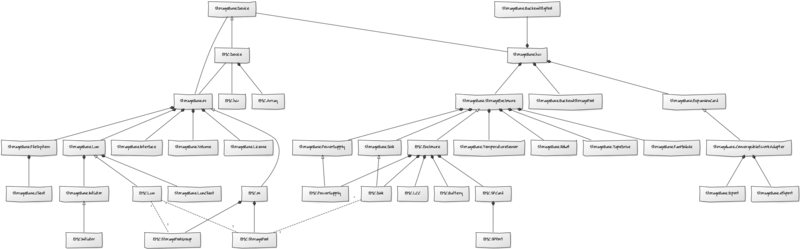
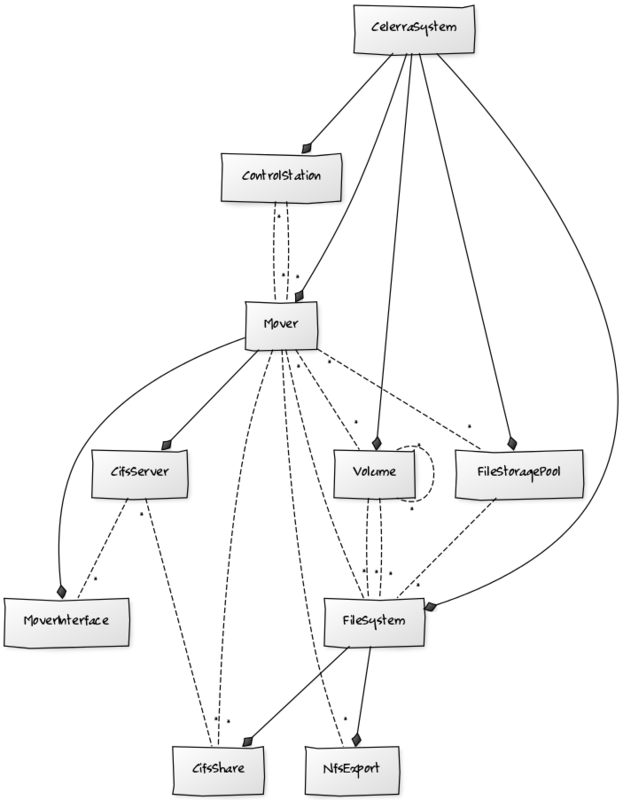
[[File:File_VNX_yuml.png|thumb|320px|File Storage Model Diagram]]The following components will be discovered when modeled.Overview
Graphs: Top 5 File Systems Usage, Top 5 Storage Pools Usage. Graphs populate when collector collects File System and Storage Pool metrics
Control Station
Properties: Address, Hostname, Slot, Version, DnsServers, NtpServer, Netmask, TimeZone, Type
Relationships: CelerraSystem, Mover
Mover
Properties: Role, Host, Standbys, StandbyFors, I18NMode, FailoverPolicy
Relationships: MoverInterface, CifsServer, Volume, FileStoragePool, FileSystem, NfsExport, CifsShare, CelerraSystem, ControlStation
Interfaces
Properties: Device, MacAddr, IpAddress, Mtu, Up, Vlanid, IpVersion, NetMask, BroadcastAddr
Relationships: Mover, CifsServer
Volume
Properties: Type, Size, VirtualProvisioning, ClientVolumes (Uses and UsedBys), ClientFileSystems
Relationships: Mover, FileStoragePool, FileSystem, ClientVolumes, CelerraSystem
Storage Pool
Properties: Description, DiskType, Size, MemberVolumes, Storage, MayContainSlicesDefault, AutoSize, VirtualProvisioning, IsHomogeneous, DataServicePolicies, TemplatePool, StripeCount, StripeSize
Relationships: Volume, FileSystem, CelerraSystem, Mover
Filesystem
Properties: Type, ContainsSlices, BasedOn, InternalUse, Storages
Relationships: NfsExport, CifsShare, CelerraSystem, Mover, Volume, FileStoragePool
NFS Export
Properties, Fil, Path, ReadOnly
Relationships: Mover, FileSystem
CIFS Server
Properties: Interfaces, Type, Workgroup, LocalUsers, MoverIdIsVdm
Relationships: MoverInterface, CifsShare, Mover
CIFS Share
Properties: Path, FileSystem, MoverIdIsVdm
Relationships: Mover, CifsServer, FileSystem
File VNX Performance Monitoring
The following datapoints are collected every 5 minutes by default.CIFSShare (/Storage/EMC/VNXFile)
Datasources
CIFS-State
openConnections, openFiles
CIFS-Totals
all, nt, smb, trans2
Graph Definitions
Open State, Procedure Calls
CelerraSystem (/Storage/EMC/VNXFile)
Datasources
Events
DataMover (/Storage/EMC/VNXFile)
Datasources
Network-Ip
deliv, notForw, received, sent
Network-Tcp
connLing, connReq, received, resets, retransm, sent
Network-Udp
badPorts, deliv, incomplHdrs, sent
ResourceUsage
cpu, mem
Thresholds
CPU Utlization, Memory Utlization
Graph Definitions
IP Network, TCP Network, UDP Network, Utilization
FileSystem (/Storage/EMC/VNXFile)
Datasources
FileSystemUsage
filesTotal, filesUsed, pctSpace, spaceTotal, spaceUsed
Thresholds
FileSystem Capacity
Graph Definitions
File Usage, Space Usage
Interface (/Storage/EMC/VNXFile)
Datasources
Network-Devices
In, Out
Graph Definitions
Traffic
NFSExport (/Storage/EMC/VNXFile)
Datasources
NFS-ProcV2Calls
create, fsstat, getattr, link, lookup, mkdir, read, readdir, readlink, remove, rmdir, root, setattr, symlink, wrcache, write
NFS-ProcV3Calls
v3access, v3commit, v3create, v3fsinfo, v3fsstat, v3getattr, v3link, v3lookup, v3mkdir, v3mknod, v3null, v3pathconf, v3read, v3readdir, v3readdirplus, v3readlink, v3remove, v3renamev3rmdir, v3setattr, v3symlink, v3vaai, v3write,
NFS-Rpc
badAuth, badData, calls, dupl, resends
Graph Definitions
NFSV2 Procedure Calls, NFSV3 Procedure Calls, RPC Requests
StoragePool (/Storage/EMC/VNXFile)
Datasources
FileStoragePool
pctSize, size, usedSize
Thresholds
Pool Capacity, storage capacity (requires Capacity ZenPack)
Graph Definitions
Capacity
File VNX Events
Virtana periodically polls the Control Station for VNX events and creates Virtana events when they occur. Events can be configured either through the VNX device or blocked/filtered through the unique ''eventClassKey: emc-vnx-file-events|'' in Virtana Service Dynamics. Events are collected every 5 minutes by default.EMC VNX File (Celerra) events are mapped to Virtana events in the following way:Components
Celerra Source | Virtana Component |
|---|---|
DART (Data Access in Real Time) | Mover |
CS_CORE, XML_API, CS_PLATFORM | Control Station |
Severities
Celerra Severity | Virtana Severity |
|---|---|
Clear | Clear (0) |
Debug | Debug (1) |
Info | Info (2) |
Notice | Info (2) |
Warning | Warning (3) |
Error | Error (4) |
Critical | Critical (5) |
Alert | Critical (5) |
Emergency | Critical (5) |
Virtana Event description
Severity: Virtana Severity mapped from Celerra severity
Component: Virtana Component mapped from Celerra source
EventClass: Event Class generated internally from eventClassKey rule
eventKey: Celerra Message code
eventClassKey: emc-vnx-file-events|
summary: Description of event or Celerra message code
message: An unparsed XML API response received from the VNX XML API Server
celerra-facility: Celerra Facility
celerra-target-logtime: Celerra logtime
EMC Celerra documents warn that message codes may vary with different models. If the collector receives an unknown message code, the event ''summary'' field will display the message code and the ''message'' event field will display the full unparsed XML API response.
File VNX Service Impact and Root Cause Analysis
When combined with Virtana Service Dynamics, this ZenPack adds built-in service impact and root cause analysis capabilities for services running on VNX. The service impact relationships shown in the diagram and described below are automatically added and maintained. These will be included in any services that contain one or more of the discovered components listed above.Impact Relationships with File components - CelerraSystem impact Control Stations, Movers, Storage Pools, Volumes and File Systems - Control Station impact Movers - Mover impact Interfaces, CIFS Servers, CIFS Shares, NFS Exports - Interface impact CIFS Servers - Volume impact File Systems, Storage Pools and other types of Volumes - Storage Pool impact File Systems - File System impact NFS Exports, CIFS Shares - CIFS Server impact CIFS Shares
Virtana Block and File Analytics
This ZenPack provides additional support for Virtana Analytics. Perform the following steps to install extra reporting resources into Virtana Analytics after installing the ZenPack.
Copy emc-analytics-bundle.zip for block or file-analytics-bundle for file from $ZENHOME/ZenPacks/ZenPacks.zenoss.EMC.base/ZenPacks/zenoss/EMC/base/analytics/ on your Virtana server.
Navigate to Virtana Analytics in your browser.
Login as superuser.
Remove any existing ''EMC base ZenPack'' folder.
Choose ''Repository'' from the ''View'' menu at the top of the page.
Expand ''Public'' in the list of folders.
Right-click on ''EMC base ZenPack'' folder and choose ''Delete''.
Confirm deletion by clicking ''OK''.
Add the new ''EMC base ZenPack'' folder.
Choose ''Server Settings'' from the ''Manage'' menu at the top of the page.
Choose ''Import'' in the left page.
Remove checks from all check boxes.
Click ''Choose File'' to import a data file.
Choose the emc-analytics-bundle.zip or file-analytics-bundle file copied from your Virtana server.
Click ''Import''.
You can now navigate back to the ''EMC base ZenPack'' folder in the repository to see the following resources added by the bundle.Domains
EMC Domain (Imported from emc-analytics-bundle.zip for block only)
EMC File Domain (Imported from file-analytics-bundle.zip for file only)
Reports
(None)
Views
EMC_Storage_Pool (Imported from emc-analytics-bundle.zip for block only)
EMC_Storage_Pool_Subscribed_Usage (Imported from emc-analytics-bundle.zip for block only)
EMC_Storage_Pool_Usage_Bytes (Imported from emc-analytics-bundle.zip for block only)
Domains can be used to create ad hoc views using the following steps.
Choose ''Ad Hoc View'' from the ''Create'' menu.
Click ''Domains'' at the top of the data chooser dialog.
Expand ''Public'' then ''EMC base ZenPack''.
Choose the ''EMC Domain'' for block or ''EMC File Domain'' for file.
Installed Items
Installing this ZenPack will add the following items to your Virtana system.Configuration Properties
zEMCModelComponents
Device Classes
/Storage/EMC/VNX
/Storage/EMC/VMAX
/Storage/EMC/VNXFile
Modeler Plugins
emc.wbem.VNX
emc.wbem.VMAX
emc.api.CelerraSystem
Datasource Types
EMC
EMC Status
Monitoring Templates
Array (Storage/EMC)
Array (Storage/EMC/VNX)
Array (Storage/EMC/VMAX)
Battery (Storage/EMC)
CelerraSystem (Storage/EMC/VNXFile)
CIFSShare (Storage/EMC/VNXFile)
DataMover (Storage/EMC/VNXFile)
Device Storage Pool (Storage/EMC)
Device Storage Pool (Storage/EMC/VMAX)
FileSystem (Storage/EMC/VNXFile)
HardDisk (Storage/EMC)
HardDisk (Storage/EMC/VMAX)
Interface (Storage/EMC/VNXFile)
LUN (Data Device) (Storage/EMC)
LUN (Data Device) (Storage/EMC/VMAX)
NFSExport (Storage/EMC/VNXFile)
Power Supply (Storage/EMC)
Processor Port (Storage/EMC)
Storage Enclosure (Storage/EMC)
Storage Enclosure (Storage/EMC/VMAX)
StoragePool (Storage/EMC/VNXFile)
Storage Processor (Storage/EMC)
Storage Processor (Storage/EMC/VMAX)
Unified Storage Pool (Storage/EMC)
Virtual Prov Pool (Storage/EMC)
Virtual Prov Pool (Storage/EMC/VMAX)
Usage
Configuring Block or File for Monitoring
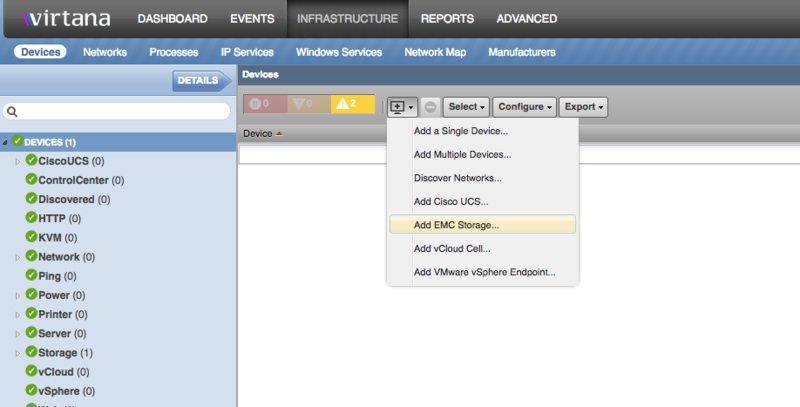
To monitor a VNX or VMAX storage device, select the ''Add EMC Storage'' option.This should present an ''Add EMC Device - Block or File'' window.
Adding Block Storage Devices
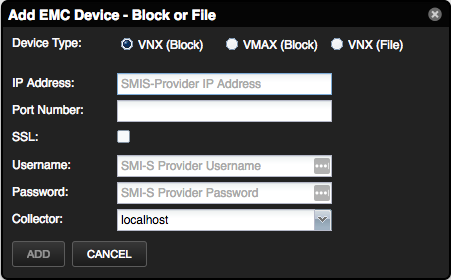
Select VNX (Block) or VMAX (Block) Device Type
Enter IP Address of the EMC SMI-S-Provider
Enter Port number. Default: 5989
If the SMI-S provider supports SSL on the port, the SSL box must be checked.
Enter Username and Password credentials of the SMI-S Provider. This may be different from UniSphere
Alternatively you can use zenbatchload to add VNX/VMAX block storage from the command line. To do this, you must create a file with contents similar to the following. Replace all values in angle brackets with your values minus the brackets. Multiple endpoints can be added under the same ''/Devices/Storage/EMC/VNX'' or ''/Devices/Storage/EMC/VMAX''section.
For VNX (Block Storage) Devices
/Devices/Storage/EMC/VNX vnx_block setManageIp='<smi-s_address>', zCommandUsername='<smi-s_username>', zCommandPassword='<smi-s_password>'
For VMAX (Block Storage) Devices
/Devices/Storage/EMC/VMAX vmax_block setManageIp='<smi-s_address>', zCommandUsername='<smi-s_username>', zCommandPassword='<smi-s_password>'
You can then load the endpoint(s) with the following command: zenbatchload <filename>
Configuring status-severity mapping for components status events
To configure appropriate severities for statuses for VNX or VMAX devices you need to do next steps:
Open Status datasource for specific component.
Fill text fields under "EMC Status Mapping" section with expected statuses for particular severities in CSV format.
Close modal window by clicking SAVE button. For example, you can enter
Degraded, Error, Stoppingin "Warning" severity field.
Note
In case same statuses are filled in different severity fields, system will use the first one in the following order:
Clear
Info
Warning
Error
Critical
SMI-S Provider Verification
To validate that data is being gathered correctly and that the SMI-S provider is configured correctly, you can make direct calls via WBEM command line tools. On Linux, you can install several tools via the local package manager to make these types of calls. One such tool is called wbemcli and below is a sample command you can execute to test data retrieval. Virtana recommends that you DO NOT install this on the Virtana server but onto a separate Linux installation that has a network path to the SMI-S provider.Sample command:
wbemcli -dx -noverify ei 'http://<USER>:<PASSWORD>@<HOST>:5988/root/emc:SE_ManagementServerSoftwareIdentity'
This command should enumerate instances (ei) of the Disk Drive class. Please note, command format depends on installed version of the wbemcli tool. Please check usage documentation.
Adding File Storage Devices
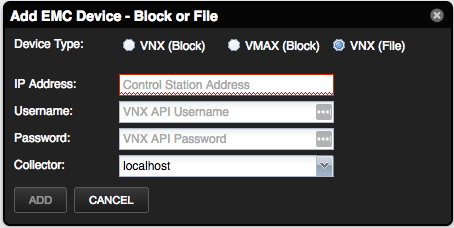
Select VNX (File) Device Type
Enter IP Address of the primary Control Station of the EMC VNX Device
Enter Username and Password API credentials of the Control Station (Unisphere credentials)
Alternatively, you can use zenbatchload to add VNX/VMAX file storage from the command line. To do this, you must create a file with contents similar to the following. Replace all values in angle brackets with your values minus the brackets. Multiple endpoints can be added under the same "/Devices/Storage/EMC/VNXFile".
For VNX (File Storage) Devices
/Devices/Storage/EMC/VNXFile vnx_file setManageIp='<control_station_address>', zCommandUsername='<api_username>', zCommandPassword='<api_password>'
You can then load the endpoint(s) with the following command: zenbatchload <filename>
Starting the XML API Server
The following section is referenced from EMC API documents available from here: https://community.emc.com/docs/DOC-19626From "EMC® VNX™ for File 7.1 - XML API Programmers Guide" (Pg. 180):
To start the XML API server, do the following:
As root, use a text editor to uncomment the following entry in
/nas/sys/nas_mcd.cfg:daemon "XML API Server"- executable "/nas/sbin/start_xml_api_server" optional yes canexit yes autorestart yes ioaccess noRestart nas services with the following command:
service nas start
The XML API is now started and is controlled by the master control daemon.
Troubleshooting
Please refer the Virtana Service Dynamics documentation if you run into any of the following problems:
ZenPack will not install
Adding a device fails
Don't understand how to add a device
Don't understand how to model a device
If you cannot find the answer in the documentation, then Virtana Service Dynamics users should contact Virtana Support.
If zProperty zEMCModelComponents displayed as a string of comma separated values on Zenoss 5.x or 6.x, then restart the zproxy service (by restarting) top-level "Zenoss.resmgr" application in Control Center.
Tuning Modeling of EMC VNX and VMAX devices
Usually, the set of objects and attributes to be modeled and how they should be processed is predefined in this ZenPack. However, a limited amount of tuning is possible via the zEMCModelComponents property on VNX and VMAX devices. This property is used to control which types of components can be modeled, and it allows:
to add huge EMC devices to Virtana, which may otherwise timeout during their initial modeling
not to model components are not of interest in a particular environment
not to model components which are changing too frequently
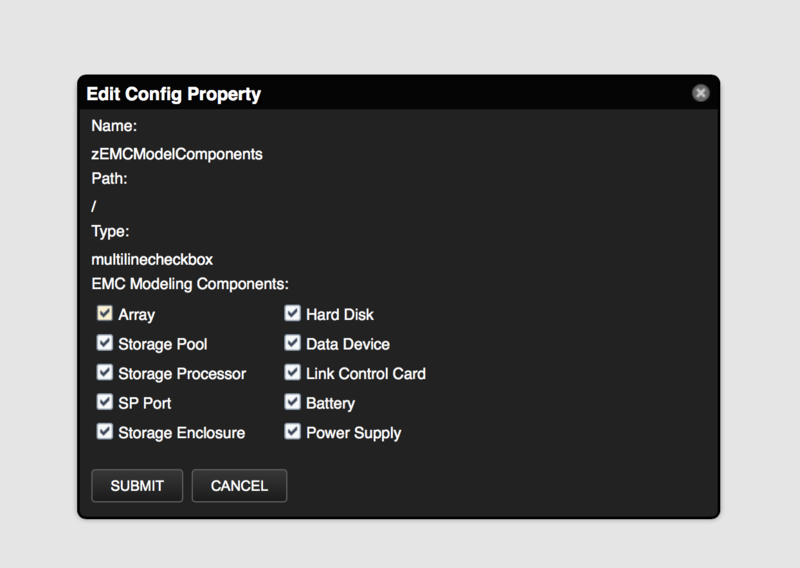
This property contains a list of all components which ca be modeled by EMC modeler plugins. Some components can be deselected from this list in case device cannot be modeled due to a large number of components e.g., data devices, hard disks or arrays (modeling of array component includes fetching data about monitoring identifiers for all other components and it might take a lot of time).
VNX File Request Fault Error
The following section is referenced from EMC API documents available from here: https://community.emc.com/docs/DOC-19626From "EMC® VNX™ for File 7.1 - XML API Programmers Guide" (Pg. 177, 178):
It is possible that the XML API Server, during the execution of the packet, fails to perform one of the requests. This type of failure results in a fault of this request, but not of the entire packet. Note that after such a failure, the other requests in the same packet are performed as if nothing happened. In any case, you need to report failures of this type to an EMC Customer Support Representative because they may indicate additional problems.
Changes
2.1.1
Compatibility with WMEB ZenPack 3.0.0
Updated Storage Pool graphs to reflect collected data and remove deprecated, unused charts (ZPS-3572)
Updated Celerra System modeling to no longer break when processing Virtual Data Movers (ZPS-3844)
Added documentation details for wbemStatsSampleInterval, which is defined on the EMC device (ZPS-3605)
Corrected links for ZC instances which had invalid links from one component to another (ZPS-4400)
Tested with Zenoss 6.3.2, Cloud and Service Impact 5.5
2.1.0
Add capacity thresholds for storage pools (ZPS-2693)
Fix monitoring for hard disks with the same IDs which are connected to different arrays (ZPS-2817)
Add storage capacity thresholds (ZPS-3152)
Log Request Fault Errors and when modeling VNXFile (ZPS-2936)
Fix invalid storage pool and filesystem capacity (ZPS-3228)
ElementName is not always present (ZPS-3307)
Tested with Virtana Service Dynamics 6.1.2, Virtana Service Dynamics 5.3.3 and Service Impact 5.3.0
2.0.0
Add new datasource type EMC
Make optional use of WBEM Pull Operations (ZPS-2533)
Add functionality to select modeling components for EMC VNX and VMAX devices (ZPS-2374)
Fix monitoring templates for EMC VMAX devices (ZPS-172)
Fix monitoring statuses for components (ZPS-2372)
Fix datapoint aliases length (ZPS-2619)
Fix event mapping rules to handle empty eventClassKey (ZPS-2615)
Fix traceback during zenpack installation (ZPS-2602)
Fix Y-Axis label on LUN Queueing Graph (ZPS-1771)
Add ability to preconfigure status-severity mapping for components status events (ZPS-1715)
Add better events handling for components when SMI-S Provider points to multiple storages (ZPS-178)
Convert and display all graphs and grid values in base units (ZPS-3228)
Tested with Virtana Service Dynamics 6.0.1, Virtana Service Dynamics 6.1.0, Virtana Service Dynamics 5.3.3, Virtana Service Dynamics 4.2.5 RPS 743 and Service Impact 5.2.3
1.2.1
Enable adding VNX File devices from multi-device add wizard (ZPS-1440)
Fix "old_data_path" errors on Zenoss 5.2.3 and newer (ZPS-1392)
1.2.0
Add support for File Storage via API
Fix traceback KeyError: 'Serial Number' in VMAX modeler plugin (ZPS-184/ZPS-186)
Fix unit test errors due to vSphere ZenPack version (ZEN-24481)
Added additional LUN Metrics - "Response Time" graph, updated "Data Throughput" and "Operation Throughput" graphs with reading and writing data (ZPS-414)
Fix event view from dependency view (ZPS-182)
Added migrate to remove duplicated graph threshold for 'Raw Space Usage' graph after the upgrade. (ZPS-179)
Fix Reports for block emc-vnx-bundle.zip in Analytics (ZPS-964)
1.1.2
Remove dependency on CalculatedPerformance ZenPack. (ZEN-19707)
1.1.1
Fix incorrect data device (LUN) impacts. (ZEN-21813)
1.1.0
Add DynamicView support for EMC storage dependencies. (ZEN-19844)
Fix scaling of time utilization values on LUN and hard disk graphs. (ZEN-20152)
1.0.6
Removed dependency on Calculated Performance (ZEN-19707)