Citrix NetScaler (Commercial)
ZenPacks.zenoss.NetScaler
This ZenPack provides support for monitoring Citrix NetScaler. Monitoring is performed through a NetScaler VPX using SNMP.
The features added by this ZenPack be summarized as follows. They are each detailed further below.
Initial discovery and continual synchronization of relevant components
Performance monitoring
Event management
Operational reports
Support
This ZenPack is developed and supported by Virtana. Enterprise support is available to Virtana customers with an active subscription or support agreement. ZenPacks are available at delivery.zenoss.com. To request more information about this or any other ZenPack, contact Virtana.
Releases
Version 2.0.0
Released on 2020/03/23
Compatible with Virtana Service Dynamics 6.2+, Virtana Service Observability
Discovery
The following components will be automatically discovered through the NetScaler address you provide. The properties and relationships will be continually maintained by way of SNMP Walks to the NetScaler device.
Virtual Servers
Attributes: IP Address, Status, Health, Services Up
Relationships: Services, Service Groups
Services
Attributes: IP Address, Status
Relationships: Virtual Servers, Servers, Service Groups (optional)
Service Groups
Attributes: Status
Relationships: Services
Servers
Attributes: IP Address, Status
Relationships: Services, Service Groups
Ethernet Interfaces
Attributes: MAC Address, Operational Status, Admin Status
Relationships: None
Interfaces
Attributes: MAC Address, Monitored, Operational Status, Admin Status
Relationships: None
VLANs
Attributes: Alias, VLAN Interface, Bridge Group, VLAN ID
Relationships: None
Performance Monitoring
The following metrics will be collected every 5 minutes by default. Any otherNetScaler metrics can also be collected by adding them to the appropriate monitoring template.
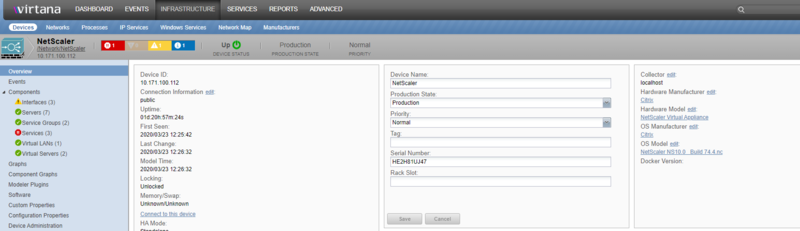
Overview:
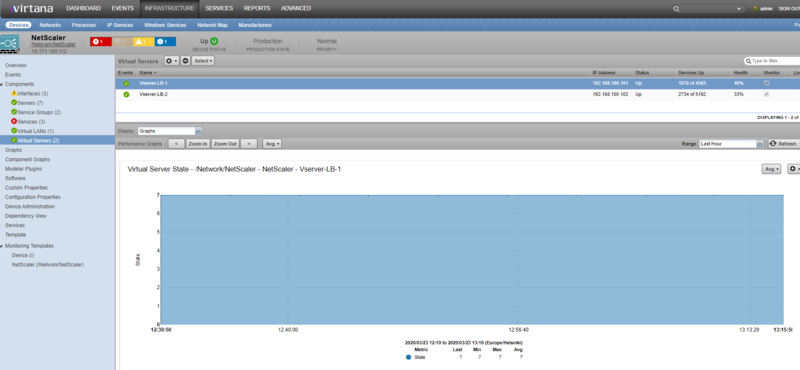
Virtual Servers:
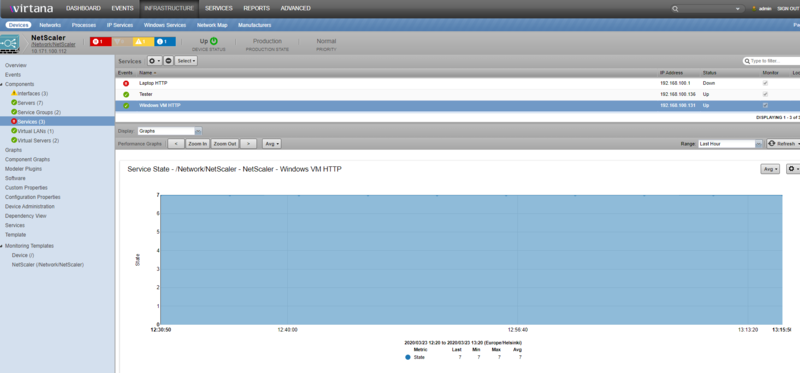
Services:
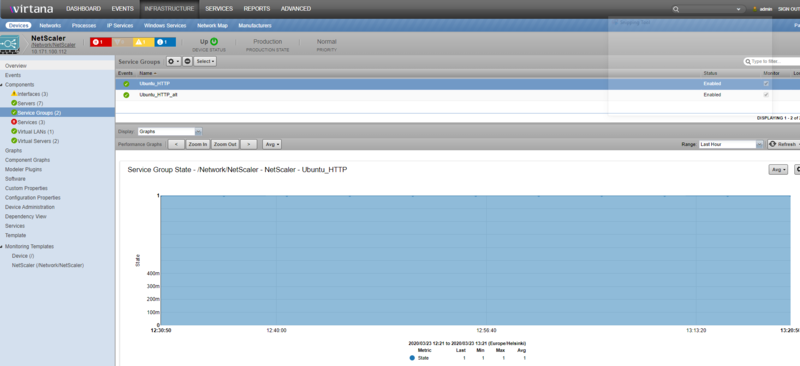
Service Groups:
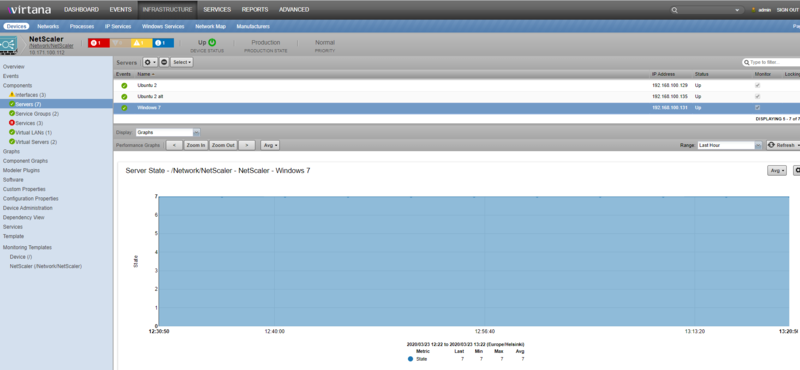
Servers:
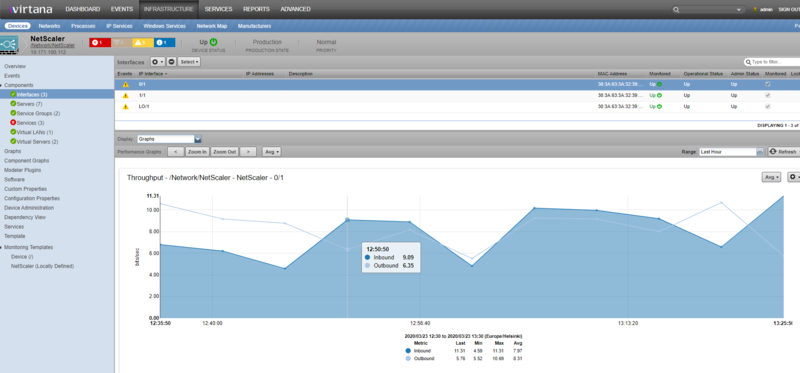
Interfaces:
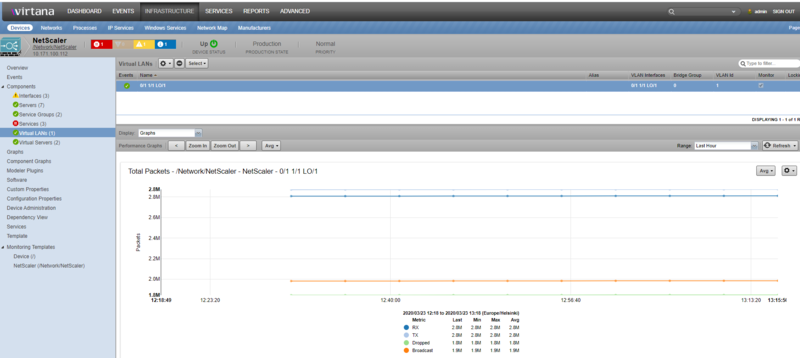
vLans:
Virtual Servers
State: Down, Unknown, Busy, Out of Service (OOS), Transition to OOS, Up
Current Connections: client, servers
Total Requests/Responses: requests, responses
Total Requests/Responses (bytes): requests, responses
Total Received/Sent (packets): received, transmitted
Current Services States: summation of service states
Total Hits vs Misses: hits, misses
Requested vs Received vs Transmitted Bytes Rate: received, transmitted, requested
Services
State: Down, Unknown, Busy, Out of Service (OOS), Transition to OOS, Up
Service State: state
Max Requests per Connection: Req per Con
Avg Transaction Time: time
Service Connections: Established, Active, Current
Total Requests vs Responses: Requests, Responses
Total Requests vs Responses (Bytes): Requests, Responses
Total Packets Received vs Sent: Received, Transmitted
Request Rate: Rate: Bytes Rate: Received, Transmitted
Total Clients vs Servers: Clients, Servers, Max
Active Transactions: Transactions
Service Groups
Service Group State: State; Disabled, Enabled
Servers: State: Down, Unknown, Busy, Out of Service (OOS), Transition to OOS, Up
Interfaces
Throughput: Inbound, Outbound
Packets: Inbound, Outbound
Errors: Receive, Send
Ethernet Interfaces
Utilization: Received, Transmitted
Throughput (Data): Received, Transmitted
Throughput (Packets): Rx'd/Tx'd Unicast, Rx'd/Tx'd Broadcast, Rx'd/Tx'd Multicast Errors: Rx'd/Tx'd Errors, Rx'd/Tx'd Discards
VLANs
Total Packets: Received, Transmitted, Dropped, Broadcast
Total Bytes: Received, Transmitted
Device
Maximum Connections: Connections
Maximum Requests per Connection: Requests
Event Management
The following event classes and their subclasses will be continually collected and passed into the Zenoss event management system.
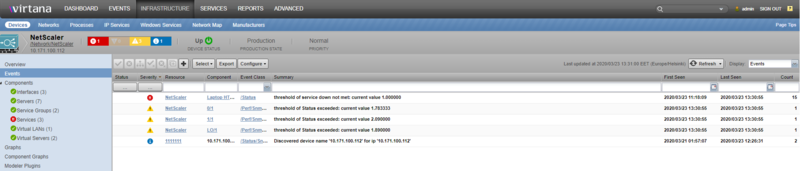
Events
Alarm
Event
ExtendedEvent
EventEx
Various information encoded in these event classes will be used to automatically determine as best as possible the following Zenoss event fields.
Standard Zenoss Event Fields
device (set to NetScaler device in the /Network/NetScaler device class)
component
summary
severity
eventClassKey (for mapping specific event types)
eventKey (for de-duplication and auto-clear fingerprinting)
Events collected through this mechanism will be timestamped based on the time they occurred within NetScaler, not by the time at which they were collected.
Installed Items
Installing this ZenPack will add the following items to your Virtana system.
Device Classes
/Network/NetScaler
Modeler Plugins
snmp.NetScaler
Monitoring Templates
NetScaler (in /Network/NetScaler)
NetScalerVirtualServers (in /Network/NetScaler)
NetScalerServices (in /Network/NetScaler)
NetScalerServiceGroups (in /Network/NetScaler)
NetScalerServers (in /Network/NetScaler)
NetScalerEthernetInterfaces (in /Network/NetScaler)
NetScalerVLANs (in /Network/NetScaler)
Troubleshooting
If any issues are encountered with the functionality offered by this ZenPack, the following checklist should be followed to verify that all configurations are correct.
Configuration Checklist
Verify that Virtana has been fully restarted after the ZenPack was installed.
Verify the NetScaler's IP address or hostname is resolvable.
Verify that the NetScaler is connecting to the proper SNMP community (zProperty: zSnmpCommunity).
Ensure that the community string has "ALL" permissions assigned on the NetScaler device.
Verify that the Virtana collector server to which the endpoint device is assigned has network connectivity through any firewalls to the endpoint address.
Check the logs.
Known Issues
The following issues have been identified in the most recent release of this ZenPack.
(ZEN-9476) The first set of data for the components - services and virtual servers take 30 minutes: After modeling NetScaler ZP, it presents the first set of data for Virtual LANs and Ethernet interfaces within usual 15 minutes. However, it takes 30 minutes to present the data for other components. There is no recommended work-around at this time.
Limitations
There is no service impact or root analysis available for the netscaler device.
Changes
2.0.0
Updated to support NetScaler SNMP API v11, v12, v13
Compatible with Virtana Service Dynamics 6.2-6.4 and Virtana Service Observability
Tested with Zenoss 6.4.1, Virtana Service Observability
1.0.6
Fix potential "Empty or invalid id specified" modeling error.
Fix change detection on automatic cycle modeling. (ZEN-22442)
1.0.5 (2016-01-20)
Licensing fixes. No functional changes.
1.0.4 (2014-12-08)
Allow toggling of monitoring for all component types. (ZEN-14859)
1.0.3 (2014-11-06)
Add basic virtual server impact.
Replace "Ethernet Interfaces" with more functional standard "Interfaces".
1.0.2 (2014-04-04)
Prevent components from periodically being removed by modeling. (ZEN-10499)
1.0.1 (2014-03-03)
Fix potential zenchkrels "vlan" error. (ZEN-10424)
1.0.0 (2013-12-19)
Initial release.