Choosing a Kubernetes Object Category
This topic helps to view the details of each category and determine the current state of the cluster.
To view details of each category from the Kubernetes cluster, perform the following steps:
Log in to the Container Observability application.
On the sidebar menu, click Kubernetes to display the list of components.
From the K8s drop-down, select the type of categories. The K8s Map will display the enabled and disabled categories in the Kubernetes cluster.
Click the required categories from the cluster to view the following details:
Status and workload condition of services, Pods, Nodes, Containers, etc. under each category are configured as per the requirement.
Configuration of available services, Config Map, endpoints of services, the health of the cluster, deployment, etc.
Configuration and performance snapshot of particular Node.
Configuration and performance details of Pods from the cluster.
Note
Note: You can view each category directly by clicking on each category in K8s Map.
Detailed view of the K8s categories
From the K8s map, the categories help to determine the overall state, configuration details, and health of the Kubernetes cluster.
 |
You can determine each category of the k8s cluster:
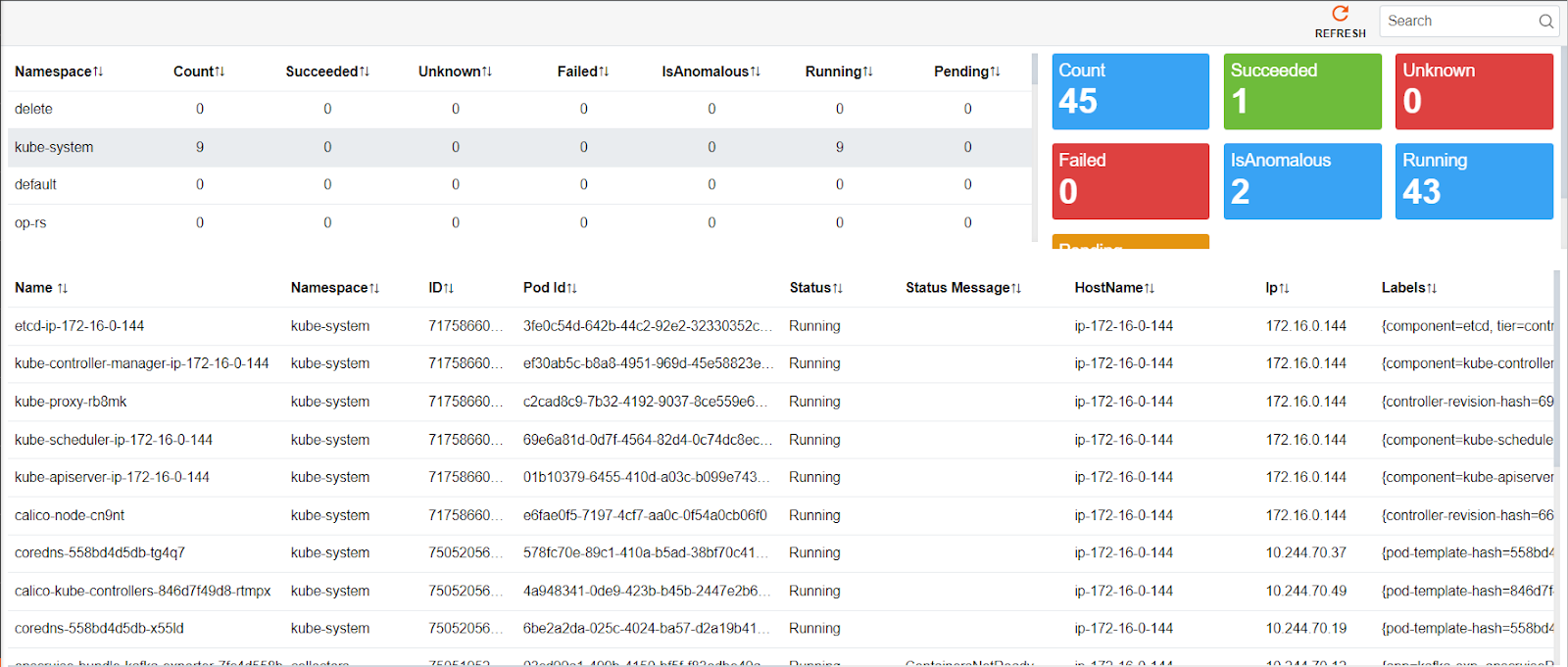
Example: the page represents the overall Pod configuration status in the k8s cluster as follows:
List of Pods running, succeeded, failed, pending, being anomalous or unknown in K8s.
Type of Pods with Namespace, Pod Id with status message.
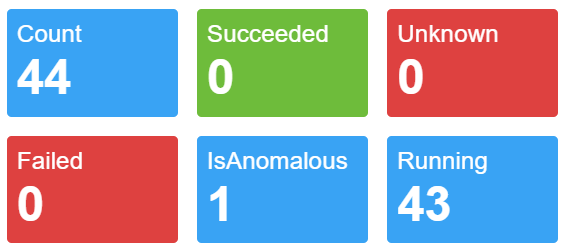
Quick view highlighted with color describes the actual count of pods, desired count, any pod having anomaly, overall running pods, unknown, and failed pods.
 |
Similarly, you can also view other object categories in order to determine the following:
Example: Number of deployments that tells Kubernetes how to create or modify instances of the pods that hold a containerized application.
Quick view of available deployments and desired deployments count which creates a ReplicaSet that creates replicated Pods.
The number of jobs/cronjobs that uses pods to run completable tasks and exit after the task completion.
The number of replicaset in K8s whose purpose is to maintain a stable set of replica Pods running at any given time.
Overall Statefulset in Kubernetes acts as a controller used to manage and maintain one or more Pods.
You can view categories like Nodes, Services, Endpoints, Daemon set, Ingress, Config Maps, etc. from the K8s Map.